Buying Guide
A digital sign-in sheet app that runs the line for you
The sign-in sheet is the most important piece of paper in a walk-in shop. It is also the easiest to lose: a coffee spill, a missing pen, a name nobody can read, and a line of strangers who can all see each other’s names. This buyer’s guide from NextUp Walk-in shows what a digital sign-in sheet app should do, and how to switch before your next busy Saturday. Walk-ins sign in on their own phone or a tablet by the door, and the line runs itself from there.
 By Nicholas Chadwick 6 min read
What to look for in a digital sign-in sheet app
A sign-in sheet app should do more than copy the clipboard onto a screen. A form that collects names still leaves someone reading the list and shouting across the room. Check five things before you pick one:
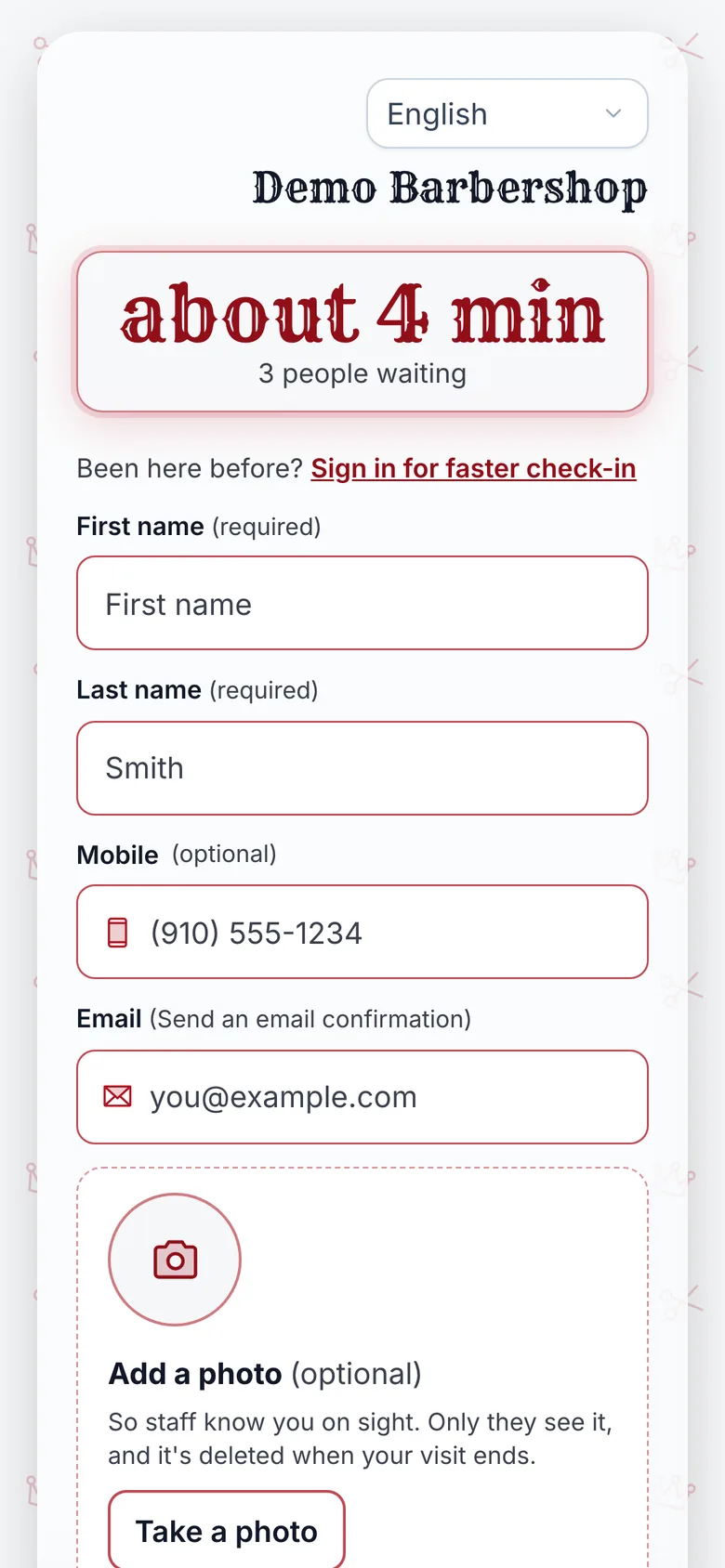
- Customers sign in without downloading anything. A QR code and a name, in their phone’s browser.
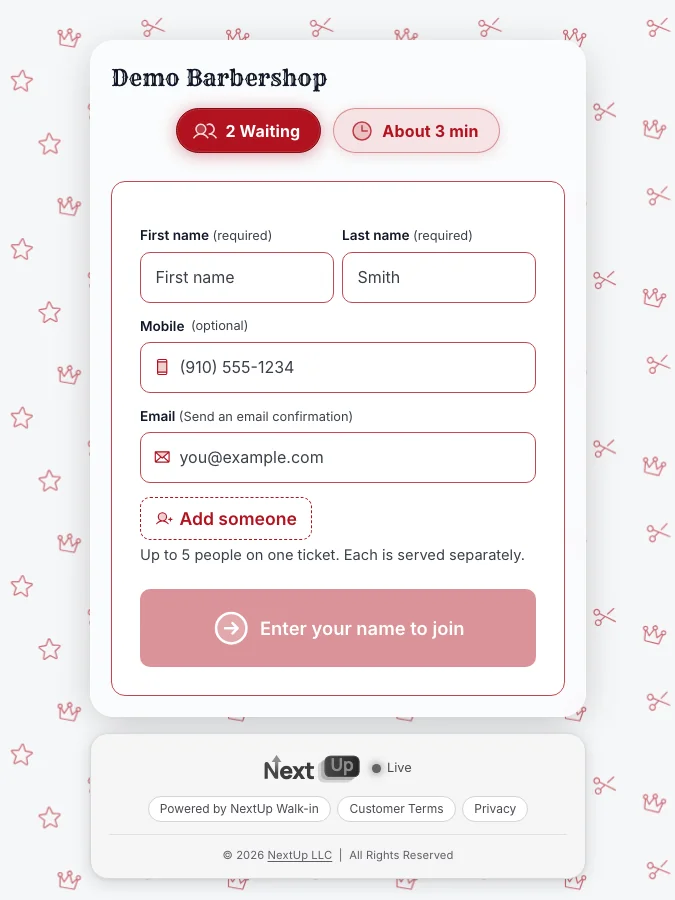
- There is a tablet option by the door for anyone who walks straight in, and it clears itself for the next person.
- People can wait somewhere else. Their place and the wait stay on their phone, so the lobby is not the waiting room.
- Your team calls the next person with one tap, and the customer’s phone tells them.
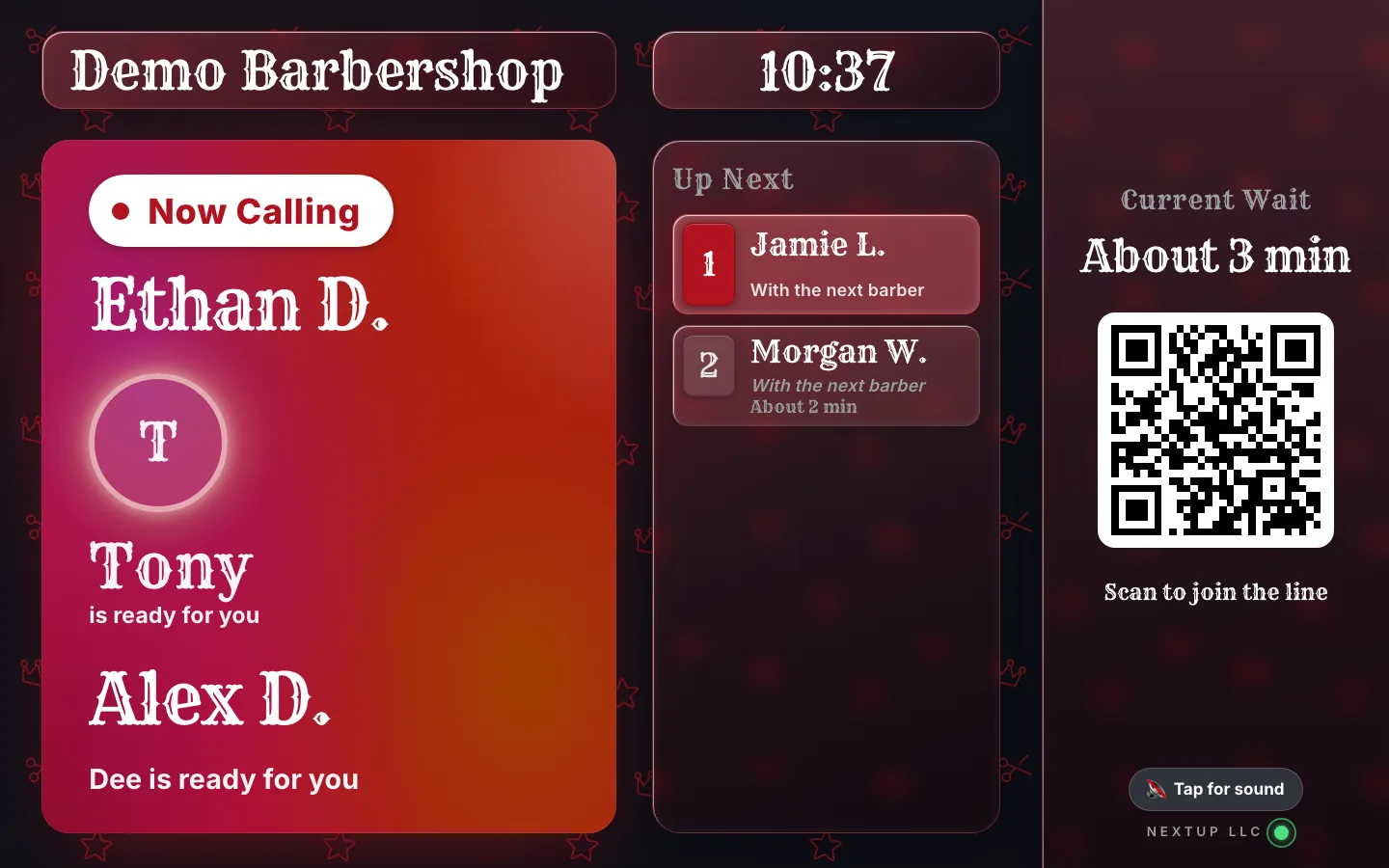
- The lobby TV shows who is next, so nobody has to ask the room.
Our Google Forms sign-in sheet guide covers the do-it-yourself version and where it stops. This guide is for when you want an app that runs the line, not just a list.
Paper sign-in sheet vs a digital sign-in sheet app
| Signing in | A pen on a clipboard by the door | A QR code in the window, your link, or a tablet by the door |
|---|---|---|
| Where people wait | In the lobby, watching the sheet | Anywhere, with their place and wait on their own phone |
| “How long?” | Asked at the chair, guessed out loud | An honest wait range on their phone and on the lobby TV |
| Who is next | Whoever reads the handwriting | The Staff Screen shows the order. One tap calls the next person |
| Privacy | Every name on the sheet, open to everyone who signs it | Each person sees their own place. The TV shows first name and last initial |
| When it goes wrong | Spilled, torn or walked off with | The line isn’t on paper: it is on the Staff Screen, each phone and the TV |
What changes when the sign-in sheet moves from a clipboard to the NextUp app.
How walk-ins sign in
From their own phone. Put your QR code in the window and at the counter. A walk-in scans it, types a name, and they are in line. No app, no account. Our free QR window sign prints one in a minute.
From the tablet by the door. Any iPad or Android tablet can run the Door Tablet: one clear button to join, then the screen clears for the next person. It never saves one customer’s details for the next. Our check-in kiosk tablet guide covers stands and locking it to the check-in screen.
From your team. Someone calls the shop or walks up to the chair? Add them from the Staff Screen in a few taps, and they join the same line.
See it on your own line
Free needs no card: pick it at sign-up. The 14-day trial has every Pro feature, once per business. A card is needed to start, but nothing is charged until the trial ends, when the plan is charged unless you cancel first.
What happens after they sign in
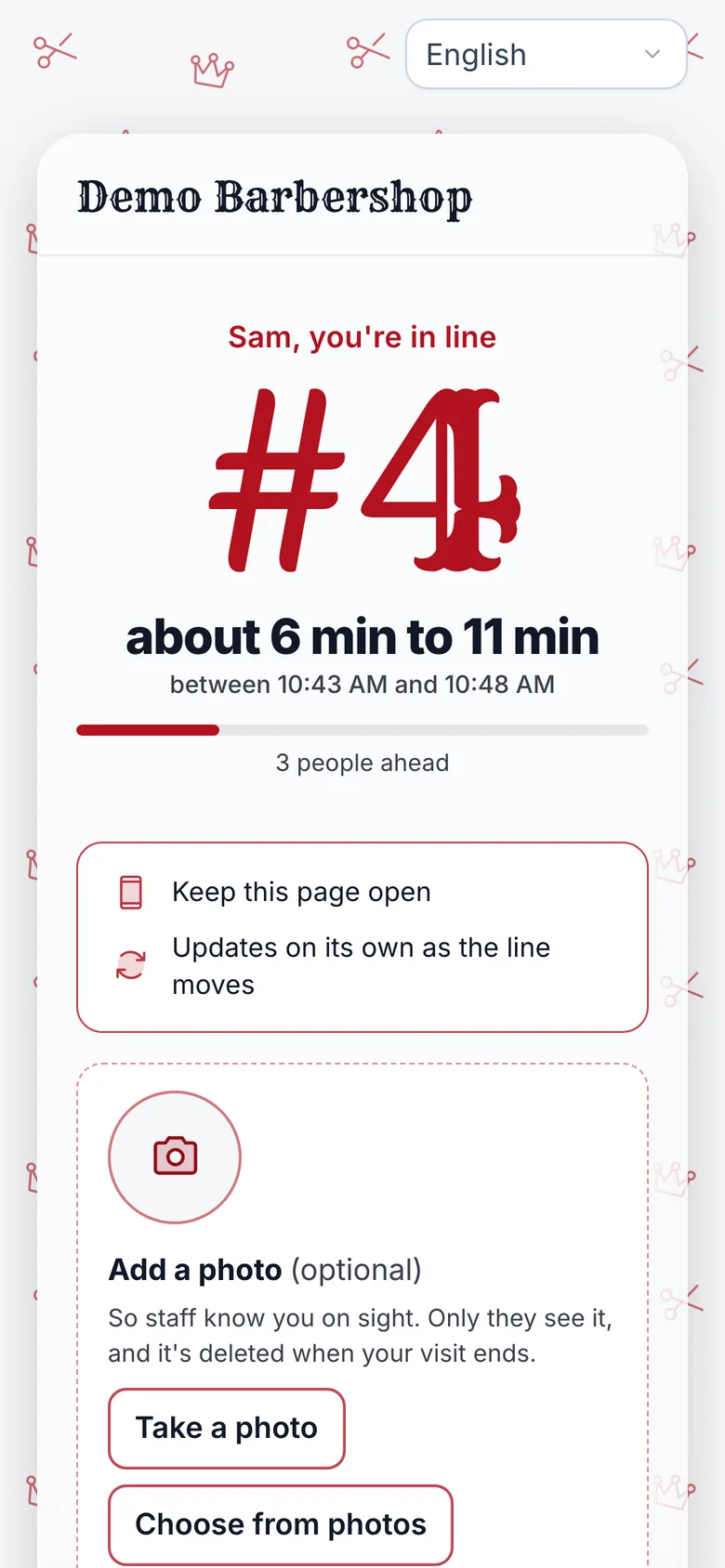
This is where a paper sheet stops and an app keeps going. Each person’s phone shows their place in line and an honest wait range, and the page updates on its own as the line moves. They can wait in the car, next door or at home.
When it is their turn, the page changes to "You’re up!" and, in a barbershop, "Come have a seat in the chair." If plans change, "Can’t make it?" takes them out of the line in one tap, so the next person moves up instead of waiting on a name that already left.
On paid plans, customers who agree to texts can also get a text about their visit. Free has no texts, and the page on their phone works either way.
What your team sees
The Staff Screen is the sign-in sheet, already in order. Your team sees who is waiting, in order, and who they asked for. One tap calls the next person. Another marks a no-show.
It runs on the counter tablet, a computer, or the NextUp app on your own phone, so a barber can call next without leaving the chair. The NextUp app for iPhone, iPad and Android is available now.
Nobody has to decode handwriting, and nobody has to ask "who was here first?" The order is the order.
The lobby TV: the sign-in sheet everyone can read
Put the line on the wall. The lobby TV shows who is being called, who is next, the wait and a QR code to join. When it is someone’s turn, their name comes up on the lobby TV (first name and last initial), so nobody has to shout across a full lobby.
On a Roku, add the NextUp app at my.roku.com/add with the code NEXTUPTV. Fire TV, Apple TV and Google TV get it from their own app stores, and the TV pairs with a short code.
Your sign-in sheet, the line and the lobby TV in one app
The NextUp app
- Walk-ins sign in from a QR code, no app and no account, and watch their place on their own phone.
- A Door Tablet on any iPad or Android tablet for anyone who walks straight in.
- The Staff Screen calls the next person with one tap, from the counter or your phone.
- A lobby TV app for Roku, Fire TV, Apple TV and Google TV, with first name and last initial on screen when someone is called.
- Every screen included, on every plan, Free included.
Free needs no card: pick it at sign-up. The 14-day trial has every Pro feature, once per business. A card is needed to start, but nothing is charged until the trial ends, when the plan is charged unless you cancel first.
What it costs to replace the clipboard
The Free plan includes every screen: the sign-in from a QR code, the Door Tablet, the Staff Screen and the lobby TV, for 1 location, 1 team member and 50 check-ins a month, no card needed. Checkout and card payments are included on every plan, Free included.
When you add your team or outgrow 50 check-ins, Walk-in starts at $29 a month for your first location and includes 3 team members, then $10 a month for each extra. Every paid plan starts with a 14-day free trial with every Pro feature, once per business. A card is needed to start, but nothing is charged until the trial ends, when the plan is charged unless you cancel first.
Keep a printable sign-in sheet in the drawer if you like having paper on hand. You just won’t run the line on it.
See the line and TV, the Door Tablet, what paper can’t tell you, pricing.
Switch before your next busy day
Retire the clipboard this week.
Start on Free, print your QR sign, and run a test walk-in from the door to the lobby TV today.
Free needs no card: pick it at sign-up. The 14-day trial has every Pro feature, once per business. A card is needed to start, but nothing is charged until the trial ends, when the plan is charged unless you cancel first.
Questions
What is a digital sign-in sheet app?
It replaces the paper sign-in sheet at the door. In NextUp Walk-in, walk-ins sign in from a QR code on their own phone or a tablet by the door, then watch their place and wait on their phone while your team calls the next person from the Staff Screen.
Do customers need to download an app to sign in?
No. Customers sign in from your QR code or link in their phone’s browser, with no app and no account. A tablet by the door covers anyone who walks straight in.
Can other customers see who signed in?
Each person sees their own place in line on their phone. The lobby TV shows first name and last initial for who is called and who is next, not a full list of names.
Is there a free digital sign-in sheet app?
Yes. The NextUp Walk-in Free plan includes every screen: the QR sign-in, the Door Tablet, the Staff Screen and the lobby TV, for 1 location, 1 team member and 50 check-ins a month, with no card. Paid plans add a team and more check-ins, starting with a 14-day trial.
Can I still keep a paper sheet as a backup?
Yes. Our printable sign-in sheet is free to download. Keep it in the drawer, and run the line in the app.
Get the NextUp app
Run your line from your phone, wherever you are in the shop. The NextUp app is on every plan, Free included.
Ready to try it?
NextUp Walk-in is a walk-in queue for barbershops, salons, restaurants, and service shops. Customers join from the phone they already have. No app required. The trial is 14 days, with every Pro feature.