Buying Guide
A walk-in waitlist app for the Android devices you already own
Somewhere in your shop there is an Android tablet doing nothing. Maybe it plays music. Maybe it is in a drawer. Meanwhile the line runs off a clipboard by the door, and every "how long?" stops a cut. This guide from NextUp Walk-in shows what a walk-in waitlist app should do on Android, and how to turn that tablet into a check-in that stays put. The NextUp app for Android phones and tablets is available now on Google Play.
What to look for in an Android waitlist app
A waitlist app should take work off the shop, not add a new chore. Before you pick one, check five things:
- Customers join without downloading anything. A walk-in will not install an app to get a haircut.
- The tablet by the door stays on check-in. If a customer can tap Home and land in your settings, it is not a kiosk.
- It comes back after a restart. Tablets reboot. The check-in should not wait for you to notice.
- Your team runs the line from the phone in their pocket, not from one screen everyone has to walk to.
- The lobby TV shows who is next, so nobody has to ask the room.
The table below shows how each device fits. You probably own most of it already.
Which Android device does which job
| Your Android phone | The dashboard and the Staff Screen, with notifications when someone joins or doesn’t show | The NextUp app, Google Play |
|---|---|---|
| An Android tablet at the counter | The Staff Screen: call next, mark a no-show, add a walk-in | The NextUp app, or the Staff Screen link in Chrome |
| An Android tablet by the door | The Door Tablet: walk-ins add themselves, then it resets for the next person | The NextUp app, locked with your staff PIN |
| A Google TV in the lobby | Who is being called, who is next, the wait and a QR code to join | The NextUp app, Google Play on the TV |
| Your customers’ phones | Join from your QR code or link, then watch their place and wait | Nothing to install. The NextUp app is optional |
How the NextUp app runs a walk-in line on Android devices, and where each piece comes from.
Your Android phone: the whole line in your pocket
Get the NextUp app on Google Play and sign in. Your phone now has the dashboard and the Staff Screen: call the next person, add a walk-in at the chair, mark a no-show, without walking to the front.
Turn on "On my phone" under Account, Notifications, and your phone tells you when someone joins the line, with their place in line, and when someone doesn’t show. Each person picks their own notifications, so the owner can hear everything and a barber can keep it quiet.
You sign up for your business once on the website. After that, you and your team sign in on your own phones.
Your Android tablet by the door: a check-in that locks with your PIN
Open the NextUp app on the tablet and tap "Using this tablet at your door? Set it up as a Door Tablet" on the first screen. Sign in as the owner or a manager, pick the location, and enter its staff PIN. Android asks you to confirm pinning the app: tap Got it.
Locking signs everyone out of the app on that tablet, so unlocking never opens your dashboard. The same staff PIN unlocks it, even offline, and too many wrong tries make the tablet wait before the next one.
It reopens into the Door Tablet after a restart. Android asks to confirm pinning again when it does, so give it a tap when you open up.
One Android setting matters: in Android’s App pinning (Screen pinning) settings, turn on "Ask for PIN before unpinning", so holding Back and Recents can’t walk a customer out. The tablet needs a screen lock for that. Use a tablet without your personal Google account on it.
Walk-ins type their first and last name, see their place and the estimated wait, and the screen resets for the next person. It never saves one customer’s details for the next. Our check-in kiosk tablet guide covers stands and mounting.
See it on your own line
Free needs no card: pick it at sign-up. The 14-day trial has every Pro feature, once per business. A card is needed to start, but nothing is charged until the trial ends, when the plan is charged unless you cancel first.
Your Google TV: the line on the wall
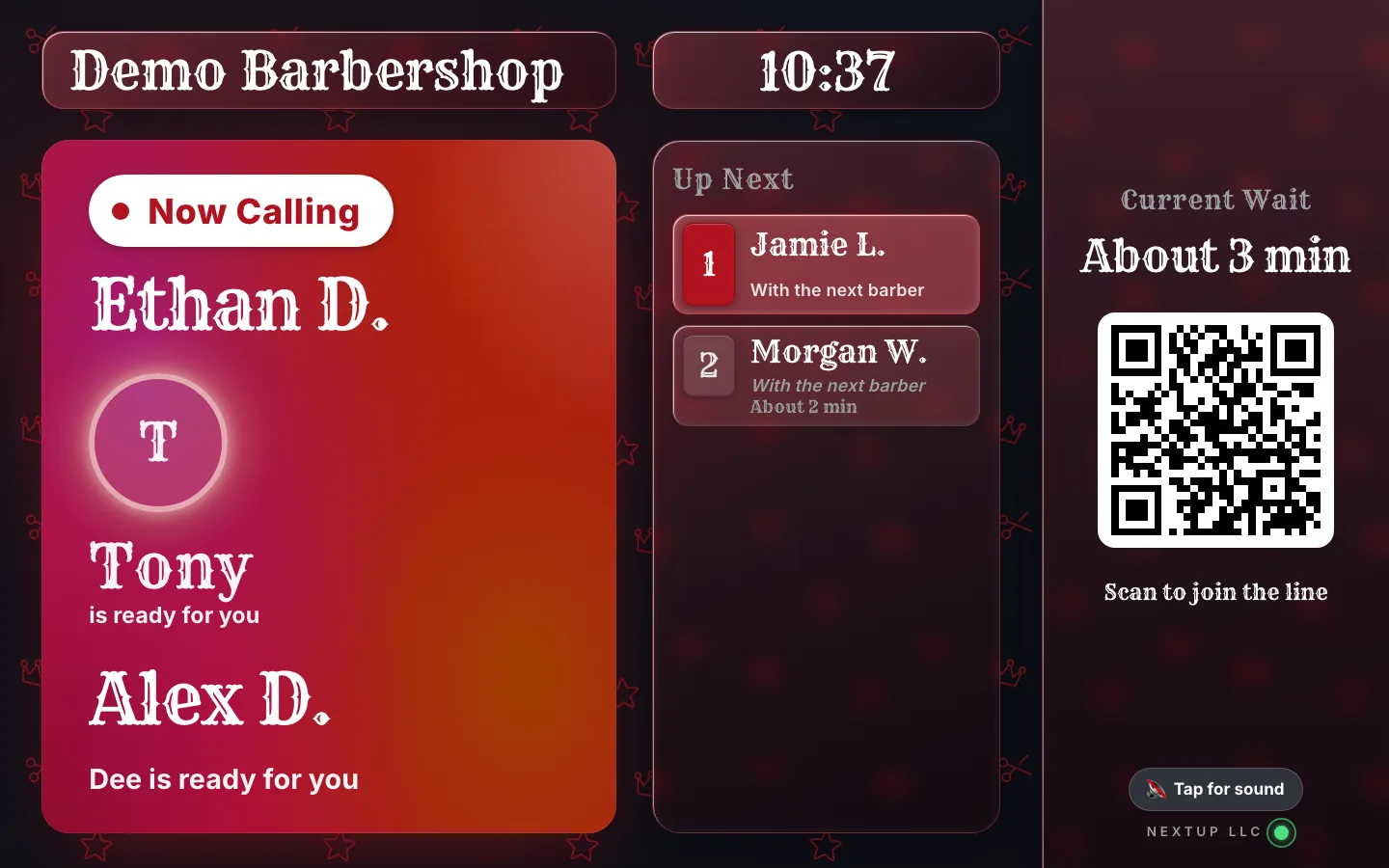
The same NextUp app runs on Google TV and Android TV, from Google Play on the TV. Open it, pair it with the short code it shows, and the lobby TV shows who is being called, who is next, the wait and a QR code to join.
When it is someone’s turn, their first name and last initial come up on the screen. Nobody has to shout across a full lobby.
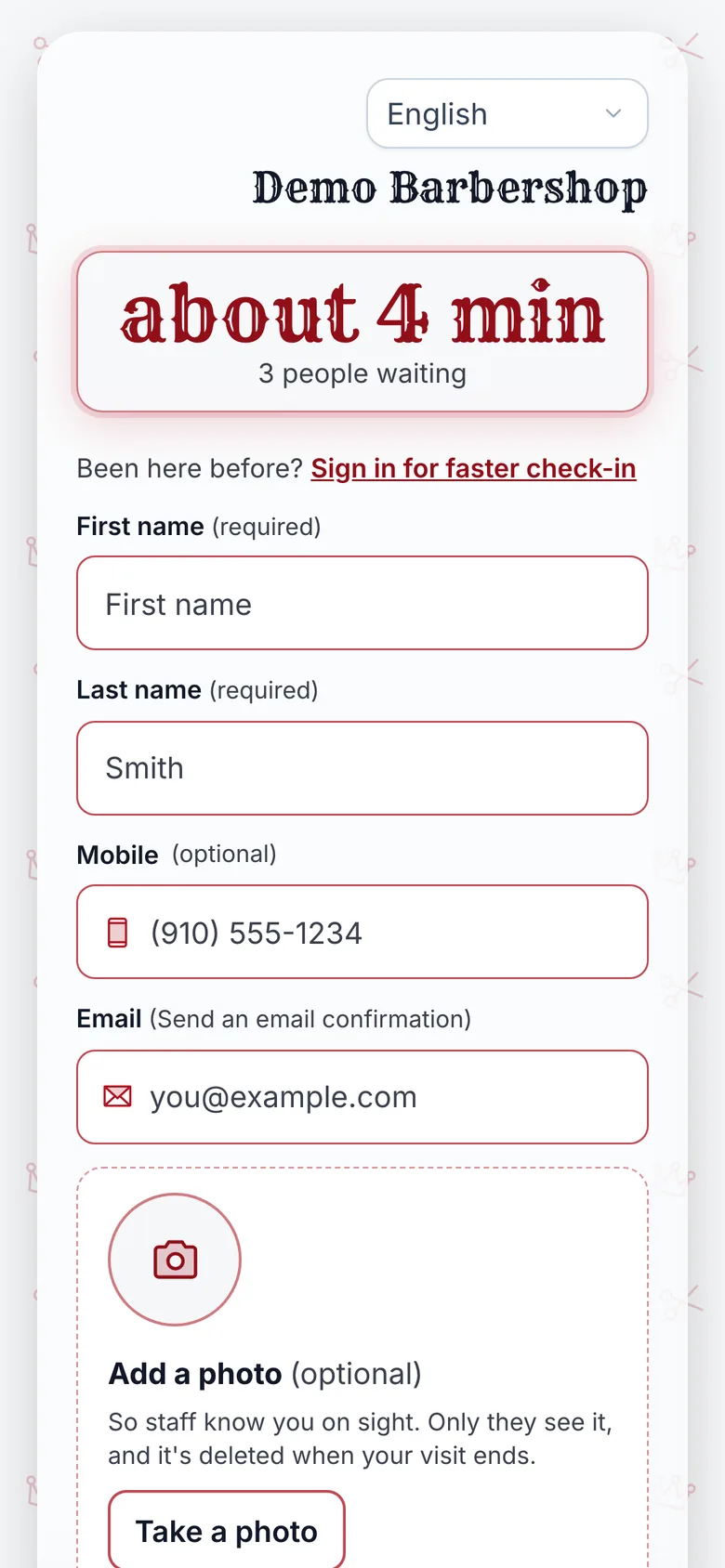
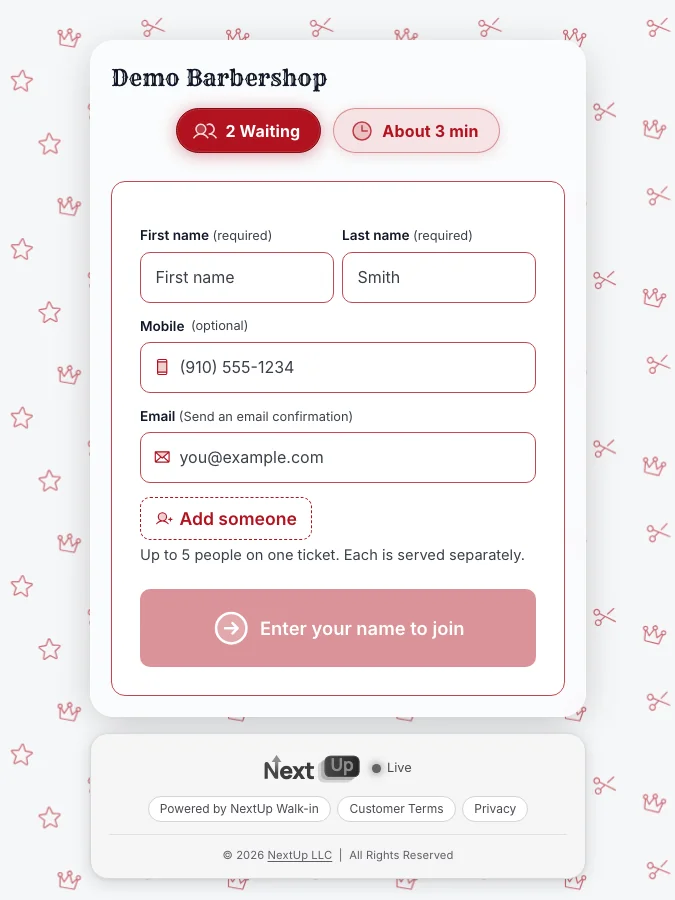
Your customers’ phones: no app needed
Customers join in their phone’s browser. They scan the QR code in your window or on the TV, type a name, and their phone shows their place in line and an honest wait range. No app, no account.
When it is their turn, the page changes to "You’re up!" and, in a barbershop, "Come have a seat in the chair." If plans change, "Can’t make it?" takes them out of the line in one tap.
Regulars who want more can get the free NextUp app for iPhone, iPad or Android: a notification the moment they are called, even with the app closed, and your shop saved in My Places to join again in a tap.
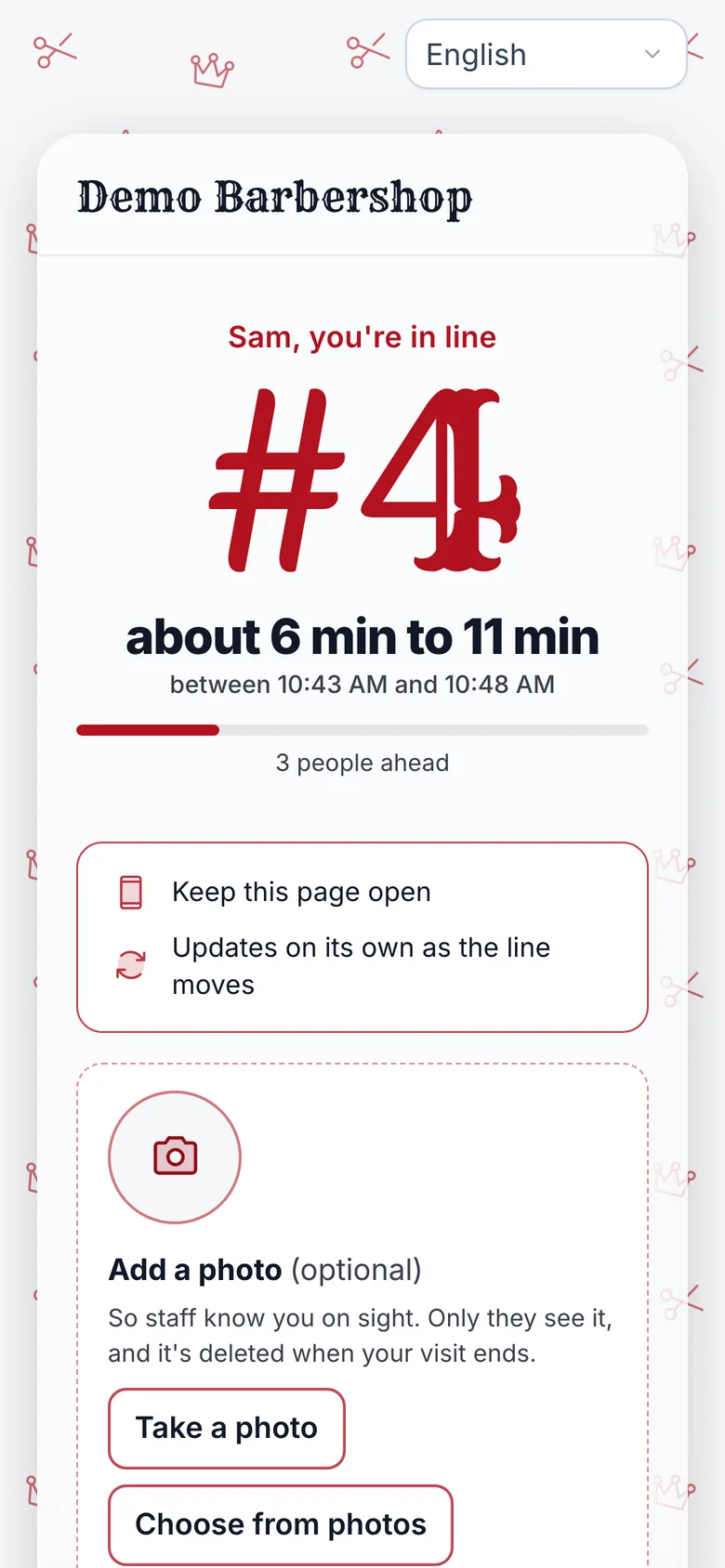
How NextUp Walk-in runs on the devices you own
On a Roku, add the NextUp app at my.roku.com/add with the code NEXTUPTV. Fire TV, Apple TV and Google TV get it from their own app stores, and the TV pairs with a short code.
The Free plan includes every screen: 1 location, 1 team member and 50 check-ins a month, no card needed. Checkout and card payments are included, including Tap to Pay on Android: once your Stripe account is connected, the shop’s own NFC Android phone takes in-person card payments in the NextUp app, no reader needed. When you add your team or outgrow 50 check-ins, Walk-in starts at $29 a month for your first location and includes 3 team members, then $10 a month for each extra. Every paid plan starts with a 14-day free trial with every Pro feature, once per business. A card is needed to start, but nothing is charged until the trial ends, when the plan is charged unless you cancel first.
See all the apps, the line and TV, the Door Tablet, pricing.
One line on your phone, your tablet and the lobby TV
The NextUp app
- The NextUp app for Android phones and tablets, available now on Google Play.
- A Door Tablet on any Android tablet, locked with your staff PIN, and back on check-in after a restart.
- Customers join from a QR code, no app and no account, and watch their place on their own phone.
- A lobby TV app for Roku, Fire TV, Apple TV and Google TV, with first name and last initial on screen when someone is called.
- Every screen included, on every plan, Free included.
Free needs no card: pick it at sign-up. The 14-day trial has every Pro feature, once per business. A card is needed to start, but nothing is charged until the trial ends, when the plan is charged unless you cancel first.
Set it up before Saturday
Your phone runs the line. Your tablet checks them in.
Start on Free, add the NextUp app from Google Play, and run a test walk-in from the door to the TV today.
Free needs no card: pick it at sign-up. The 14-day trial has every Pro feature, once per business. A card is needed to start, but nothing is charged until the trial ends, when the plan is charged unless you cancel first.
Questions
Is there a walk-in waitlist app for Android?
Yes. The NextUp app for Android phones and tablets is on Google Play. Owners and teams use it for the dashboard, the Staff Screen and notifications, and an Android tablet can run as the Door Tablet where walk-ins check themselves in.
How do I lock an Android tablet to the check-in screen?
In the NextUp app on the tablet, tap "Set it up as a Door Tablet", sign in as the owner or a manager, pick the location and enter its staff PIN, then tap Got it when Android asks to pin the app. The same staff PIN unlocks it. Turn on "Ask for PIN before unpinning" in Android’s App pinning settings so customers can’t exit with Back and Recents.
What happens if the tablet restarts?
The NextUp app reopens into the Door Tablet after a restart, and Android asks you to confirm pinning again. It stays that way until someone unlocks it with the staff PIN.
Do my customers need to download an app?
No. Customers join from your QR code or link in their phone’s browser, with no app and no account. The NextUp app is optional for regulars who want a notification when they are called.
Is the Android app free?
The app is free to download, and the Free plan includes every screen: 1 location, 1 team member and 50 check-ins a month, with no card. Checkout and card payments are included. Paid plans add a team and more check-ins, starting with a 14-day trial.
iPhone, iPad, Android and TV
Get the NextUp app
Run your line from your phone, wherever you are in the shop. Free for iPhone, iPad and Apple TV on the App Store, and for Android phones, tablets and Google TV on Google Play.

Ready to try it?
NextUp Walk-in is a walk-in queue for barbershops, salons, restaurants, and service shops. Customers join from the phone they already have. No app required. The trial is 14 days, with every Pro feature.