Buying Guide
Barbershop queue app: five ways to run the walk-in line
A barbershop queue app lets walk-ins join the line from a phone, see their place and wait live, and lets your barbers call the next person with one tap. For most shops the best fit is a QR code at the door plus a lobby TV, with a door tablet for anyone who would rather type a name.
Barbershop queue app: what it does for a walk-in shop
A barbershop queue app puts your walk-in line on the customers’ phones and on your barbers’ screens. Customers join from a QR code, watch their place and wait, and the barber taps once to call the next person.
It replaces three jobs someone does by hand today: remembering who came in first, guessing how long the wait is, and calling the next name across the shop.
It does not have to be a booking system. Plenty of shops take walk-ins all day and a few appointments; the line is the part that fails on a Saturday.
Five ways to run a walk-in queue
Most shops start with a clipboard and move up one step at a time. Each step fixes the weakest part of the one before it.
- Clipboard or sign-in sheet. Free and familiar. Order is kept by whoever reads the sheet, and nobody knows the wait.
- QR code and phone page. The customer joins from their own phone and follows their place. This is the step that stops people asking “am I next?”.
- A lobby TV. The next name goes up on the wall with the barber who is ready, so nobody shouts across the shop.
- A door tablet. For regulars who would rather type a name than scan a code, and for anyone without a phone handy.
- A waitlist inside a booking app. Convenient if you already pay for one. Check that it has a QR code, a live wait and a TV before you rely on it.
Five ways to run a walk-in queue
| Clipboard or sign-in sheet | A pen and a sheet | Nothing; they ask a barber | The wait is a guess, and people leave without being seen |
|---|---|---|---|
| QR code and phone page | A printed code at the door | Their place and wait, on their own phone | Nothing in the room says who is up next |
| Lobby TV display | A TV and a streaming stick | Who is called and who is next, on the wall | Only helps people who are in the room |
| Door tablet (kiosk) | A tablet on a stand near the door | A name typed at the door, then the same line | Needs a tablet that stays charged and in view |
| Waitlist inside a booking app | The booking app you already use | Often a list, sometimes a live wait | Walk-ins can be an afterthought; check for a QR code and a TV |
A general comparison of methods, not of any one company. Most shops combine two or three.
What to look for in a barbershop queue app
Run every app you are weighing through these seven checks. Most fail on the wait or the price long before they fail on the feature list.
- Joining takes seconds, with no app download. A scan or a link, a name, and they are in line. Count the taps on your own phone.
- The wait is live. It changes as people are called and as cuts run long, instead of showing a number typed in at opening.
- A TV that calls the next client. Check whether it costs extra or needs special hardware.
- Barber choice, and “anyone”. Regulars want their barber; everyone else wants the shortest wait. Each barber’s own wait should show.
- Fair turns. Decide how “anyone” clients are shared among barbers and make sure the app does it your way. Our guide to walk-in rotation compares the usual systems.
- The line closes itself. It stops taking names before close and can cap how many wait at once.
- Pricing that holds as you grow. Price it for your real barbers and locations, and check whether the TV or tablet is an add-on.
The calculator below shows why barber choice needs its own wait. Taking the next open chair is faster than waiting for one barber when others ahead asked for the same person.
Take the next open chair, or wait for one barber?
Slide the numbers to match a busy hour. The first wait is the quote for “anyone”; the second is the wait for a barber some people ahead also asked for.
- Wait for any open chair
- 80 min
- Wait for that one barber
- 140 min
- Extra for choosing
- 60 min
Hover or tab to a column for the numbers.
| Wait | |
|---|---|
| Any open chair | 80 min |
| One barber | 140 min |
Example arithmetic on the numbers above, not a measured average.
Assumes every cut takes the same time and that people who said “anyone” spread evenly across barbers. Real services vary, which is why a live line re-quotes as the day goes.
QR code, TV or door tablet: how customers join
Put the QR code where people stand, not where it looks neat. Eye level on the door, on the window and at the counter. The same link also works in your Instagram bio and on your Google profile, so people can join before they leave home.
Hang the TV where the waiting area can see it. It shows who is being called, who is next and the current wait, so the room stays calm. A streaming stick you may already own is enough to run it.
Keep a tablet for the rest. A door tablet takes a first name and puts the person in the same line, and it should never keep one customer’s details on screen for the next. For a walkthrough, see how to set up a QR code check-in.
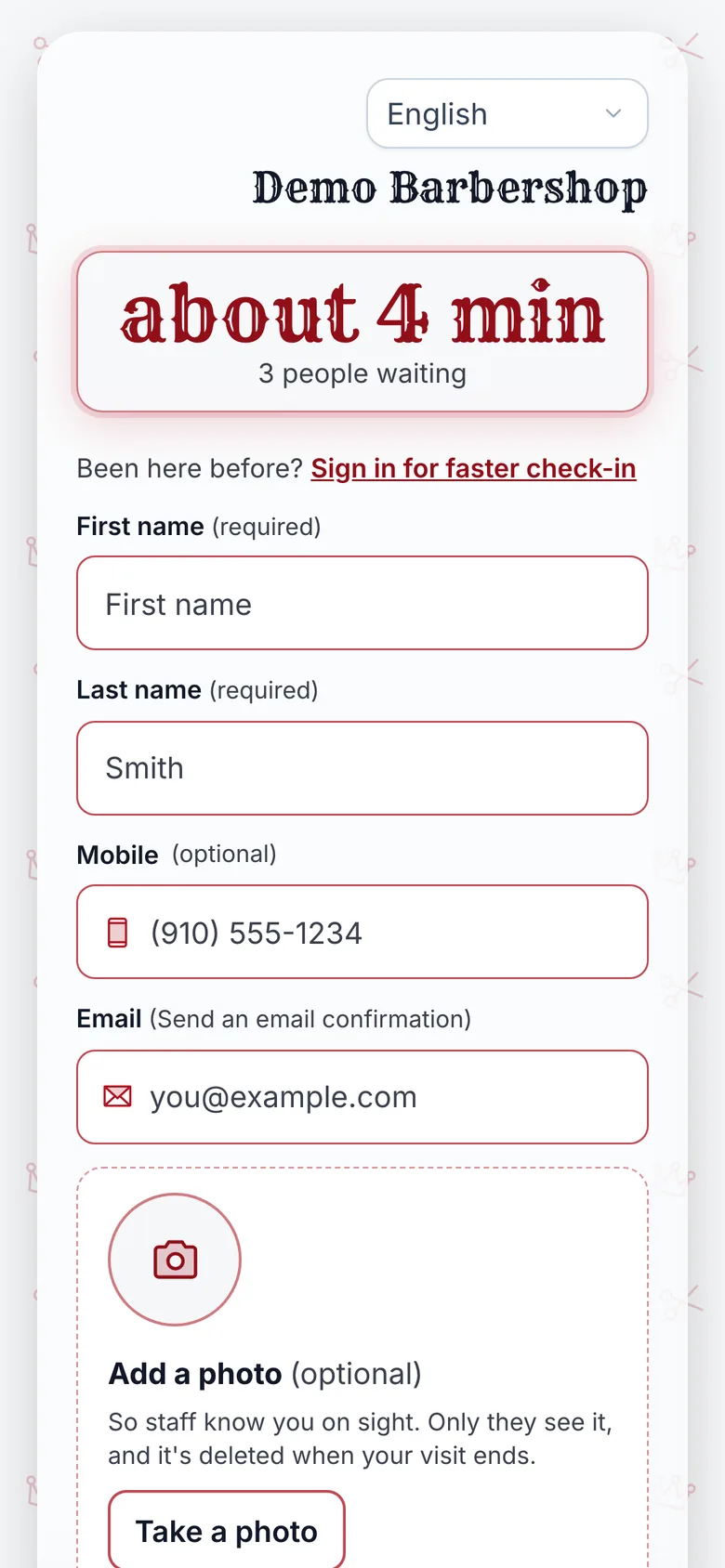
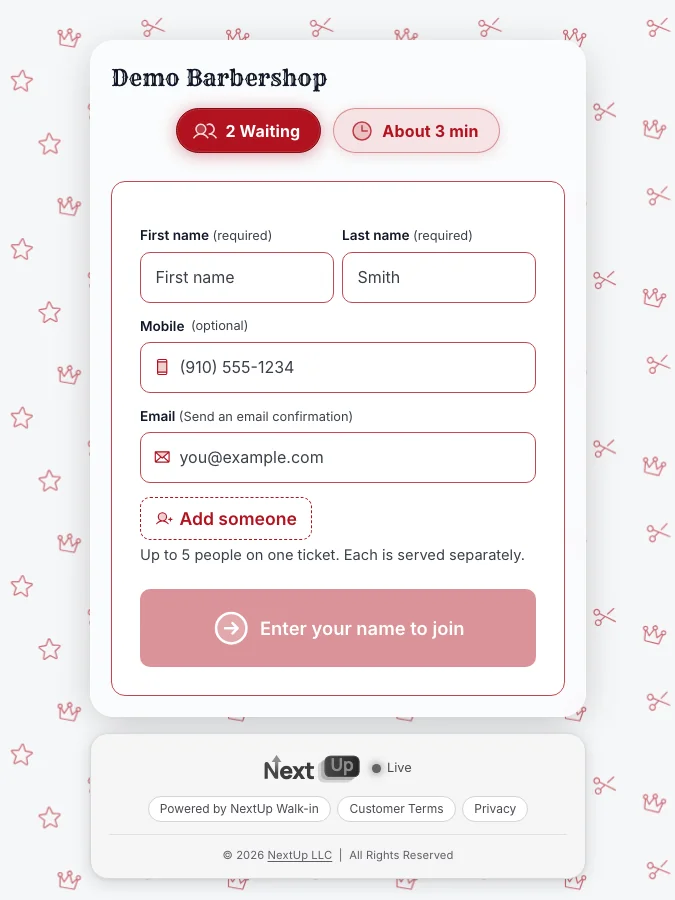
How NextUp Walk-in handles it
Customers join from a QR code, your link or the door tablet. They pick a barber or anyone, and see their place and wait live on their phone, with no app and no account.
The Walk-in plan is $29 a month for the first location and $19 for each extra. There is also a Free plan: 1 location, 1 team member and 50 check-ins a month, and no card needed. See the NextUp app for barbershops, features, pricing, how it compares.
Roll it out in one week
- Monday: add your barbers and the services you sell, with an honest time for each.
- Tuesday: print the QR code and put it on the door and the counter. The free QR window sign maker does it in a minute.
- Wednesday: pair the TV and hang it where the waiting area can see it.
- Thursday: run a few real customers through it on a quiet afternoon and tell your barbers to tap Call next.
- Saturday: run the whole day on it, then count how many joined, how many left before their turn and how close the quotes were.
Do not judge it on an empty Tuesday. A queue app earns its keep when seven people are waiting.
Compare before you commit
If you are still choosing, our best barbershop waitlist app comparison sets nine apps side by side with sources and dates, and the barbershop waitlist software checklist turns the seven checks above into questions you can ask a vendor. Running a salon instead? See the salon waitlist app guide.
Questions
What is a barbershop queue app?
A barbershop queue app keeps your walk-in line on screen: customers join from a QR code or a door tablet, follow their place and wait on their own phone, and barbers call the next person with one tap.
Do customers need to download an app to join?
Not with the NextUp app. A customer scans the QR code or taps your link, adds a name and follows the line in their phone’s browser.
How much does a barbershop queue app cost?
The NextUp app has a Free plan for 1 location, 1 team member and 50 check-ins a month. The Walk-in plan is $29 a month for the first location, with 3 team members included. Other apps list their own prices on their pricing pages, so compare them on the same date.
Is a queue app the same as a booking app?
No. A booking app fills a calendar; a queue app orders the people who walk in. Some products do both, and on the NextUp Pro plan the walk-in line and the appointment book share one screen and the same barbers.