On the Way
Clients see you on the way.
For every business that goes to the client. They book their address, you tap Start driving, and their phone shows you on the way with the time counting down. No app, no “where are you?” texts, and you already know the gate code.
An example trip on a real map: 4.5 miles, about 10 minutes.
- 3steps they seeBooked, on the way, here
- 1 tapto Start drivingOn the Station page
- 0apps for the clientIt is their booking page
- 5saved placesOn a signed-in account
- 4.5 mi10 minute exampleThe route above
- 7languagesAddress, live card, driver
Six screens, one smooth house call
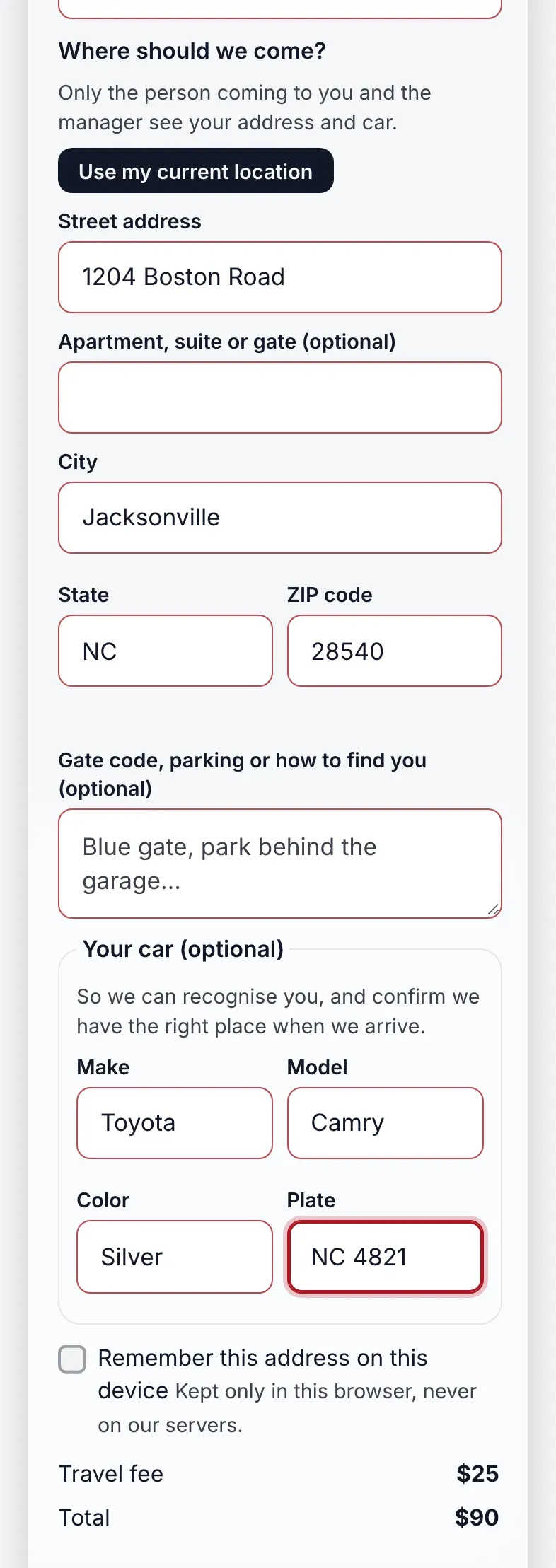
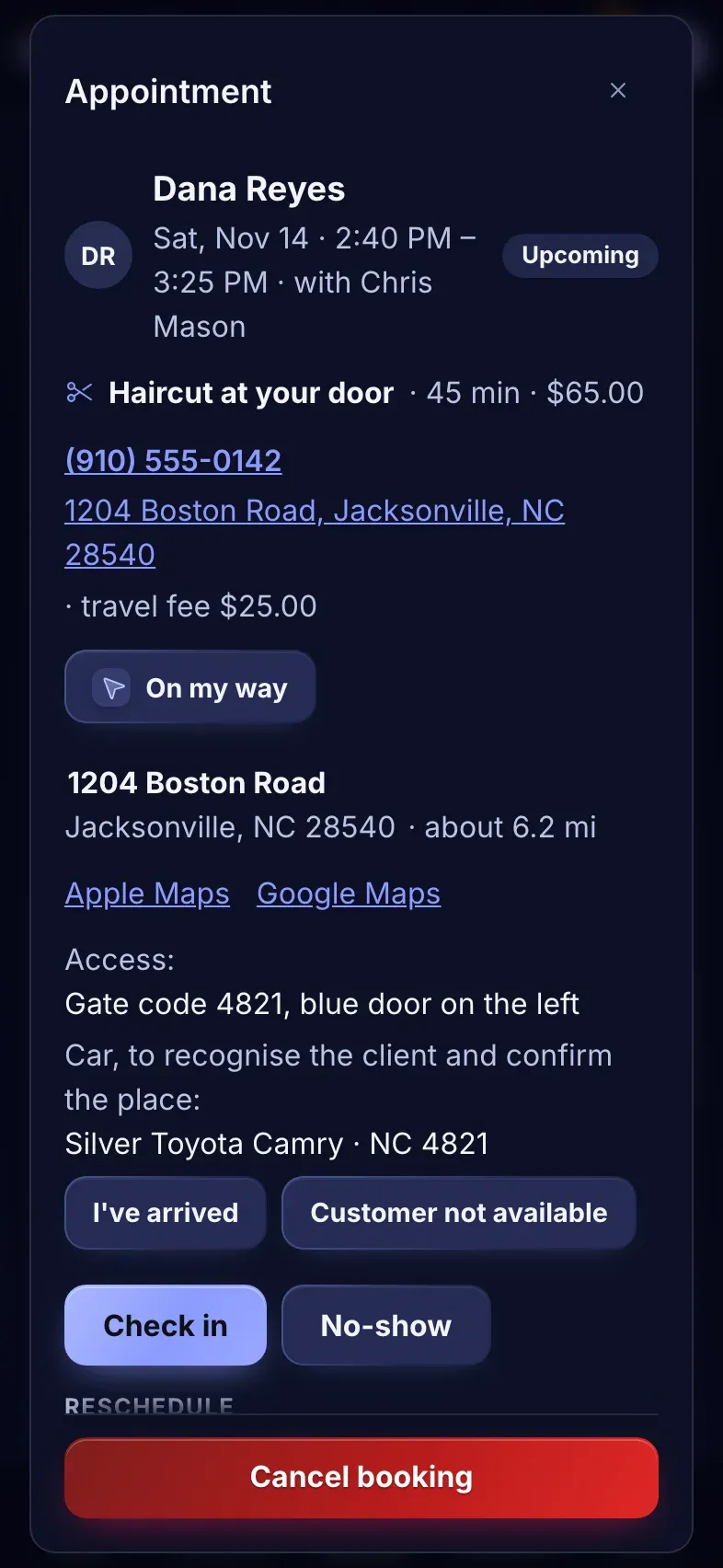
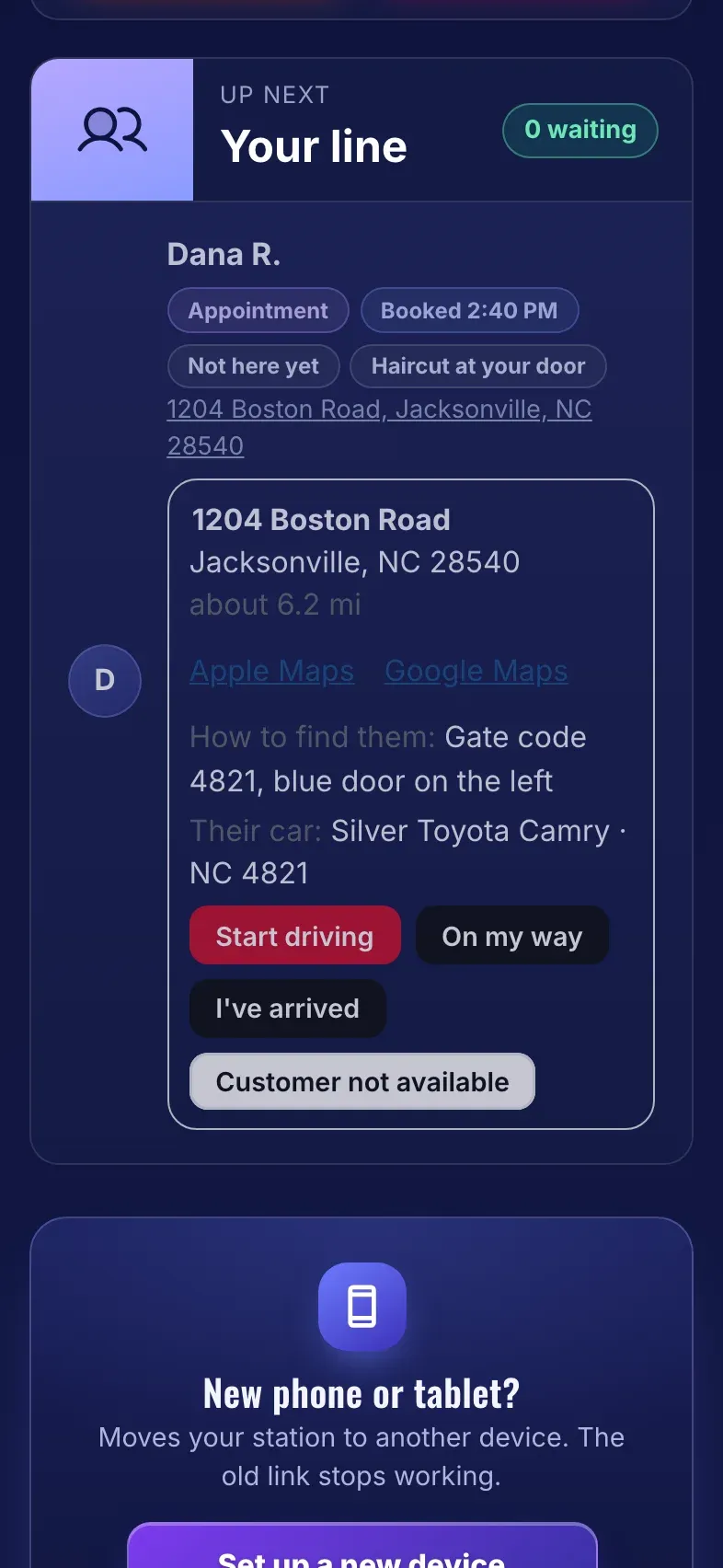
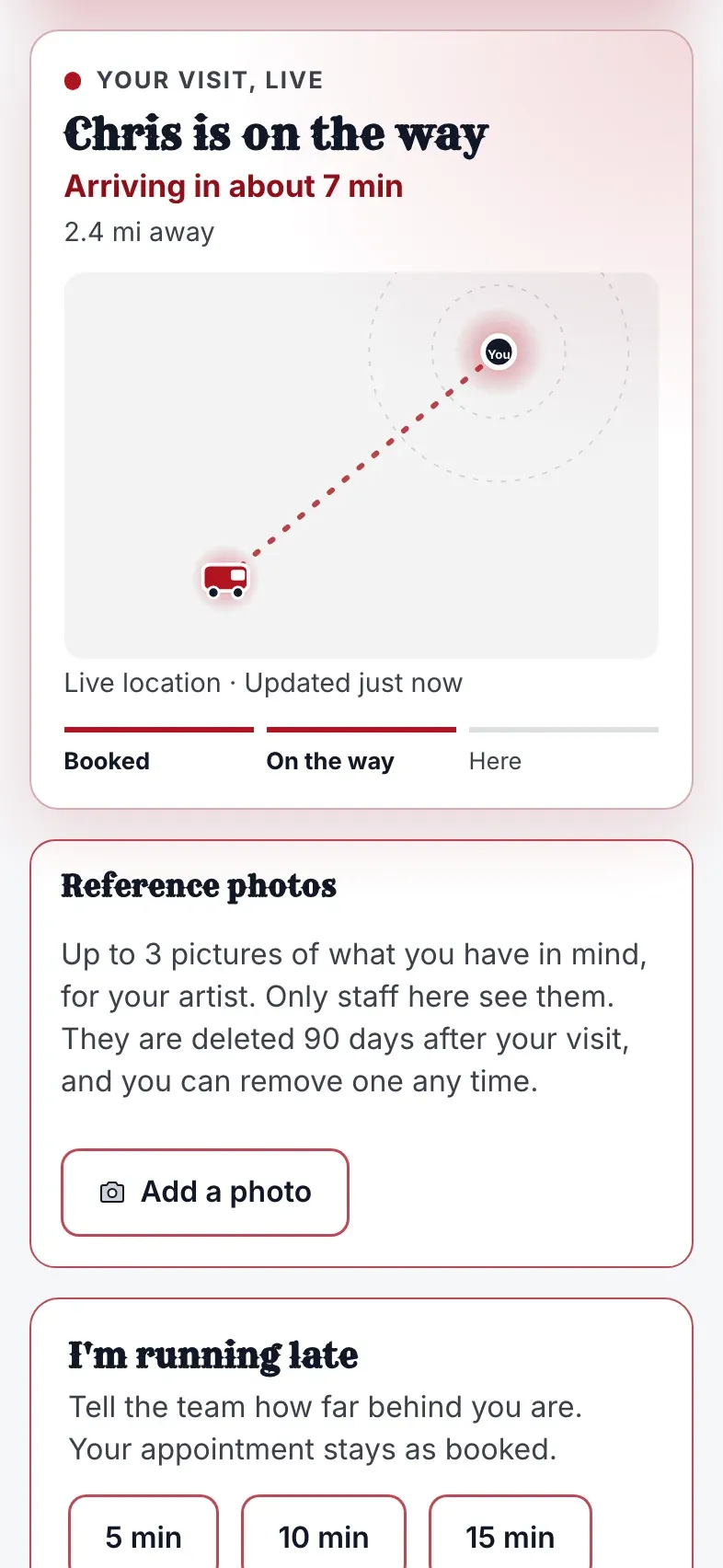
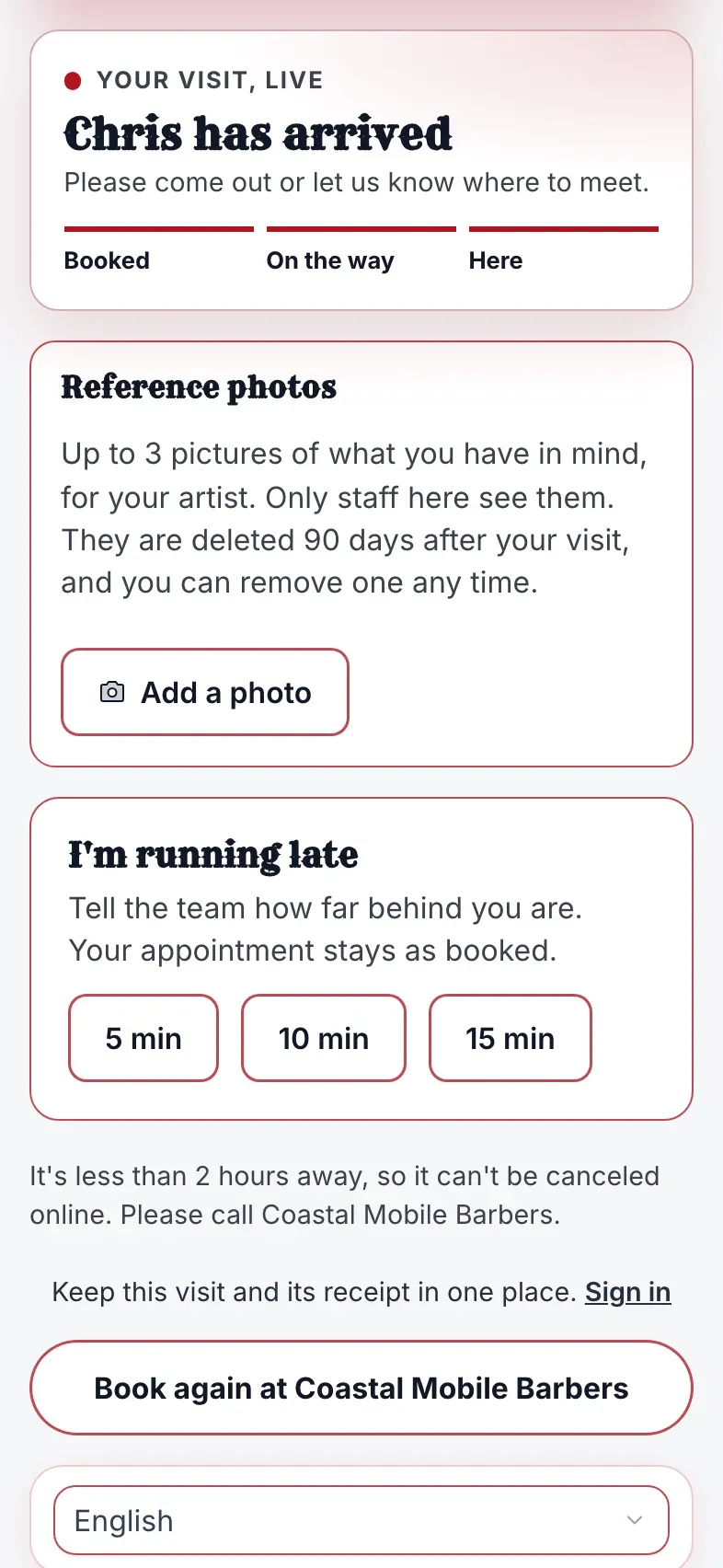
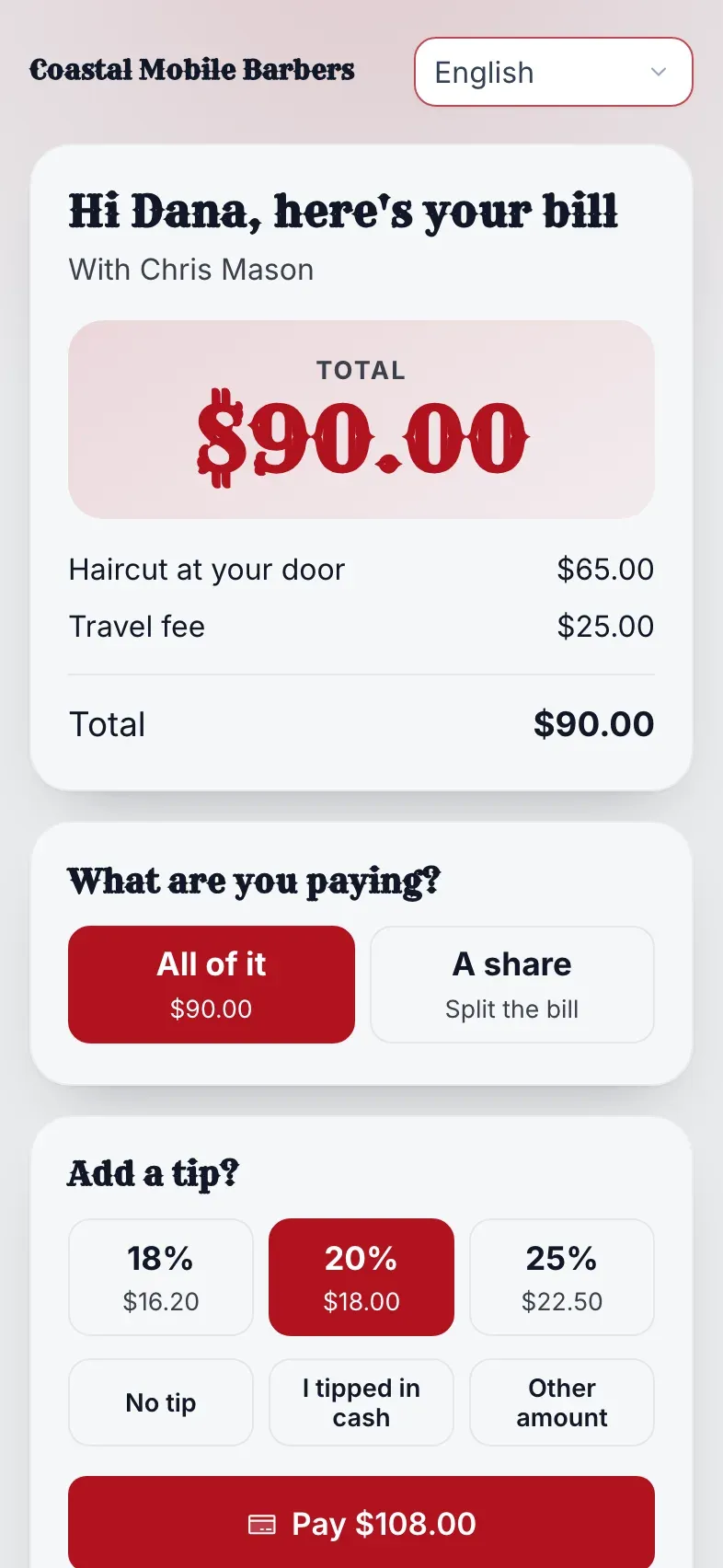
The real app, screen by screen: what your client sees and what you see. Names and addresses are made up.
Charge for the drive, and draw the line where you want it
Set it per service. A client sees the fee before they book, and an address outside your area can’t be booked online.
What a house call costs by distance
A flat fee, or a flat fee plus a per-mile fee beyond the free miles, never above your cap. Drag to try a distance.
- Flat fee
- Per mile, with a cap
Your service area, drawn on the map
Free miles, a fee zone and a limit: an address past the limit can’t be booked online. Distances are in straight-line miles, so they read “about”.
- 1 mile, no per-mile fee
- To 4 miles, bookable
If a distance can’t be worked out, the booking still goes through at the flat fee, marked estimated for you to confirm. A client is never turned away by a map.
The client always knows where you are in the trip
On my way, I’ve arrived, we couldn’t reach you
Each goes to the client by email, in your business’s look.
- On my wayMarcus is on the way. See where he is.
- I’ve arrivedMarcus has arrived. Please come out.
- Not availableWe came by but could not reach you.
The same three, as plain texts
Text alerts switch on soon, once carrier verification finishes.
Built for the business that goes to the client
Switched on per service, set up where you already set the price.
Type less, get it right
Address suggestions as they type, filled from the address under their phone when they ask. Fewer wrong doors, fewer wasted trips.
An arrival time they can trust
About how many minutes, counting down as you get closer when the driver shares their position, never a guess made at booking.
Fair travel pricing
A flat travel fee, or a fee per mile beyond the first few, with a cap. They see it before they confirm, so nobody is surprised at the door.
Your service area, your rules
Set how far each service travels. Addresses outside it can’t be booked online, and the page says why in plain words.
Saved for next time
Signed-in clients save their address and car to their NextUp Walk-in account and reuse them in one tap on any device; everyone else can remember them in their own browser.
The pin on the door
The client sees a small map of the address and moves the pin to the gate, the driveway or the side entrance, so you pull up at the right spot.
A photo of the gate
They can attach a photo of the gate or the car to the booking. Only your team sees it, and it goes when the booking does.
The car on file
Make, model, color and plate, so you recognise the client and confirm the place the moment you pull up.
Told at every step
On my way, I’ve arrived, and “we couldn’t reach you” go to the client by email, in your business’s look.
Never blocks a booking
If a distance can’t be worked out, the booking still goes through at the flat fee, marked estimated for you to confirm. A client is never turned away by a map.
Seven languages
The address step, the live card and the driver’s screen read in English, Spanish, Vietnamese, Korean, Portuguese, Haitian Creole and Chinese.
If you have a van, a bag or a route
- Mobile barbers
- Pet groomers
- Massage and spa at home
- Hair and nails on location
- Mobile car wash and detailing
- On-site auto service
- Device repair that comes to you
- Anyone with a van and a route
Closer to the client, never closer than they would like
You choose to share
Sharing your position is a checkbox on the driver’s screen, visible the whole time. Off, and the client still gets the status and your ETA.
Only the latest dot
We keep your most recent position, not a trail, and only while you drive. It is deleted the moment you arrive.
The address stays private
Only the person coming and your managers see a client’s address and car. It is covered by erasure and the privacy cleanup like every other client detail.
Part of the Pro plan
House calls ride on appointments, so On the Way comes with Pro. The Walk-in plan doesn’t include it, and the 14-day free trial has every Pro feature.
Good to know
Does the client need an app?
No. Everything is on the booking page they already have from the confirmation. They open the link and watch. Customers who want more can get the free NextUp app for Android (iPhone coming soon): a notification the moment they are called, even with the app closed, and their businesses saved in My Places to join again in a tap.
What if the driver doesn’t want to share a position?
Then they don’t. The client still sees “on the way”, the time you gave them, and “arrived”. The live van is the driver’s choice, trip by trip.
Which plan includes it?
The Pro plan, because house calls ride on appointments. The Walk-in plan doesn’t include it, and the 14-day free trial has every Pro feature.
Is the arrival time exact?
It is an estimate, shown as “about”. Roads and traffic are real, so we say so.
Which businesses is it for?
Any service that goes to the client: it is switched on per service, in the same place you set the price, and every business type can use it.
Be the one who shows up, and shows them you’re coming
Turn it on for one service today. The first client who watches you arrive will tell their friends.