Operations
Winter walk-ins: let the line wait warm, not on the sidewalk
It is 31 degrees on a Saturday morning. The bench is full, the door keeps opening, and two people are standing outside with their hands in their pockets, trying to see through the glass how long it will be. One of them gives up and drives off. In winter a walk-in line does not just test patience, it tests coats. This guide from NextUp Walk-in shows how to let the whole line wait somewhere warm, in the car, the coffee shop next door or at home, and walk in when it’s time.
Why winter changes the walk-in line
The cold is here. When this guide went up on Nov 13, 2026, forecasters expected the coldest air of the season so far in North Carolina, with freezing mornings through Monday (WXII, updated Nov 13, 2026). Farther north, it got there sooner.
In warm months, a full bench spills onto the sidewalk and nobody minds much. In winter, the sidewalk stops being part of the waiting room.
And winter is busy. Holiday parties, family visits and New Year plans all want a fresh cut, so the line gets longer exactly when it is hardest to stand in.
What goes wrong when the line has to stand in the lobby
A lobby line only works if everyone fits in the lobby. In winter, that breaks fast.
- People leave. Someone sees a full bench through the glass, pictures standing outside, and keeps driving.
- The door never closes. Every "how long?" lets the cold in on the people already waiting.
- Wet coats everywhere. Snow and slush end up on the chairs, the floor and the next customer.
- Nobody wants to lose their place. So they stand by the door instead of waiting in a warm car.
The fix: let the line live on their phones, not in the room.
Let the line wait warm
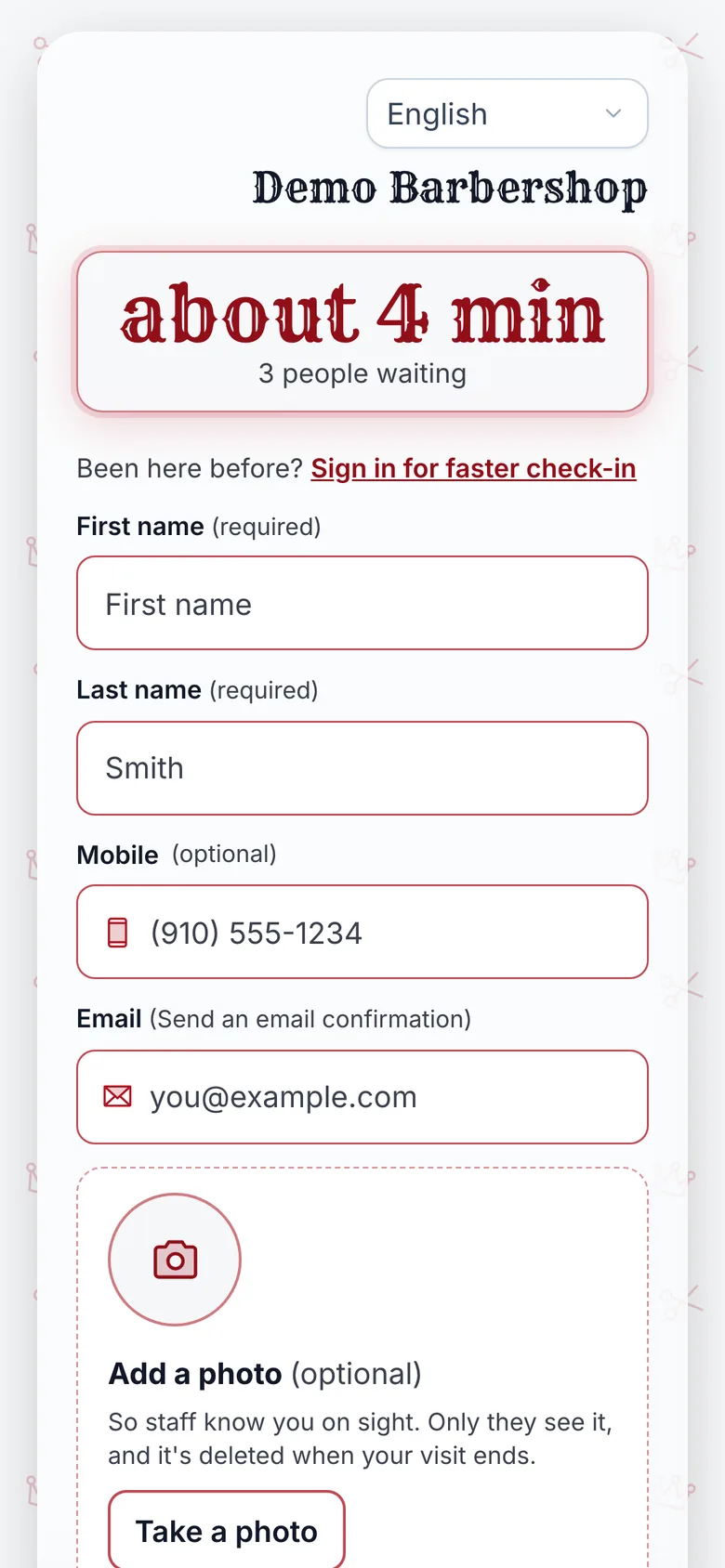
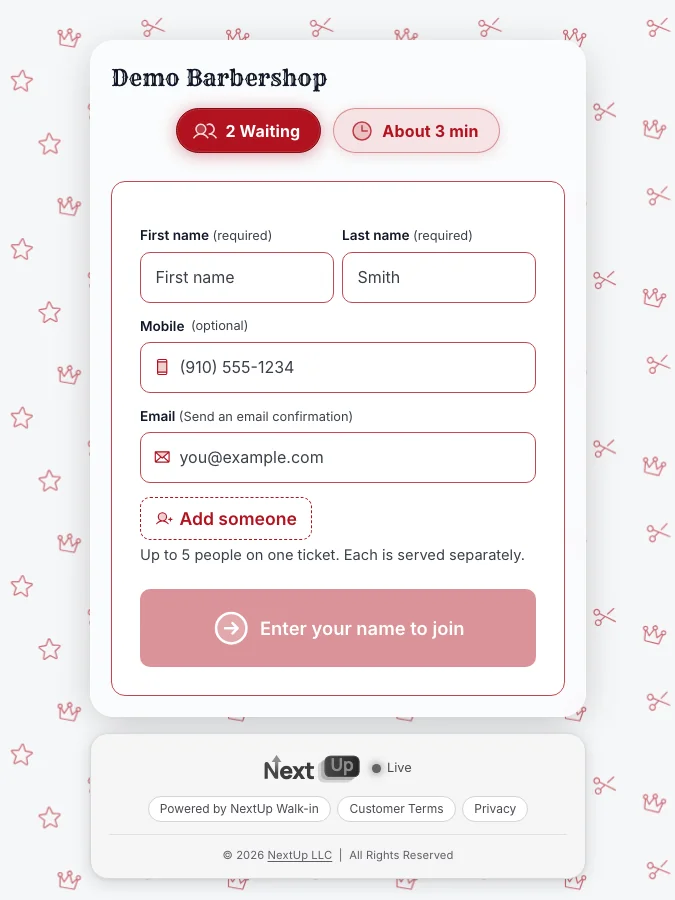
With the NextUp app, a customer scans the QR in your window, even from the parking lot, and joins with a name. No app to download, no account to make.
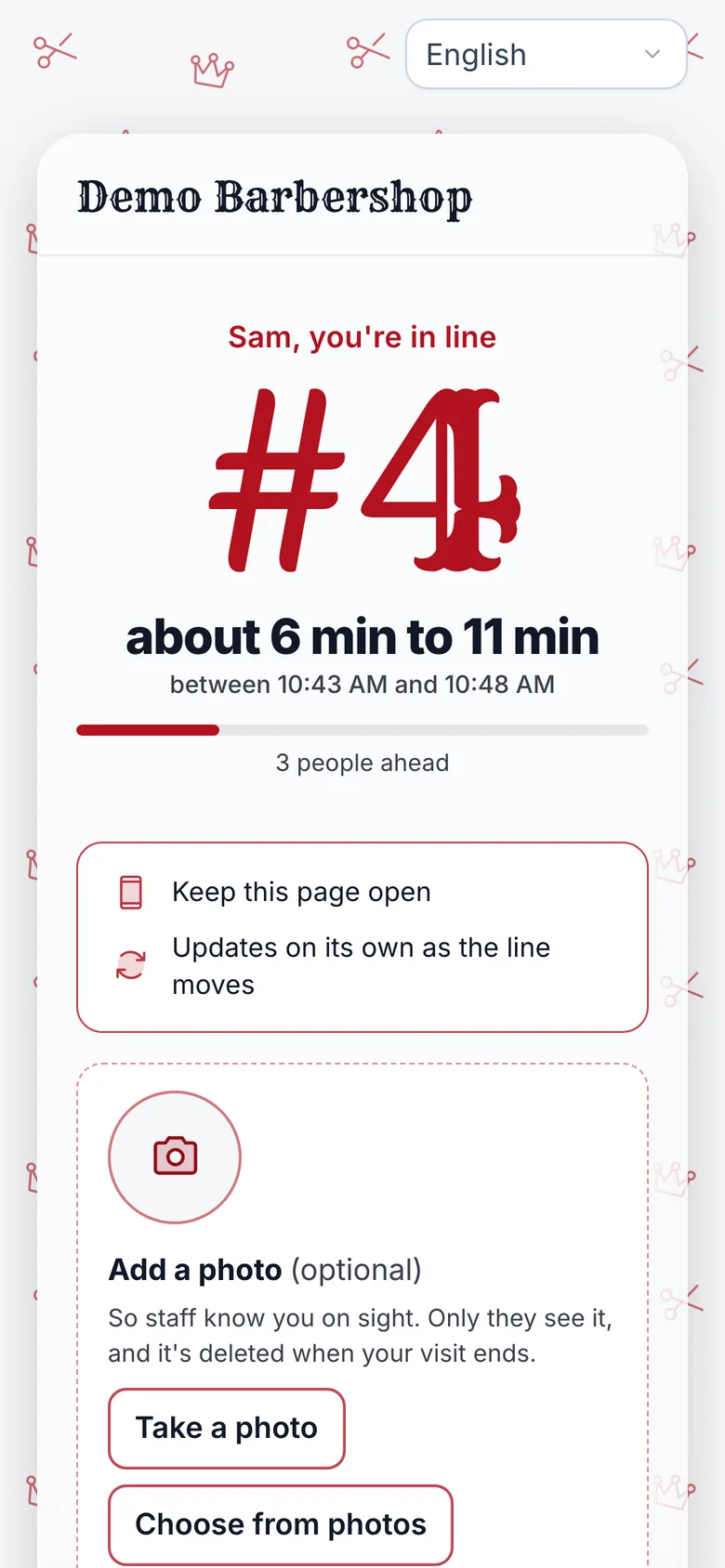
Then they wait wherever is warm. Their phone shows their place, how many people are ahead and a wait range worked out from how long your team really takes. The page updates on its own as the line moves.
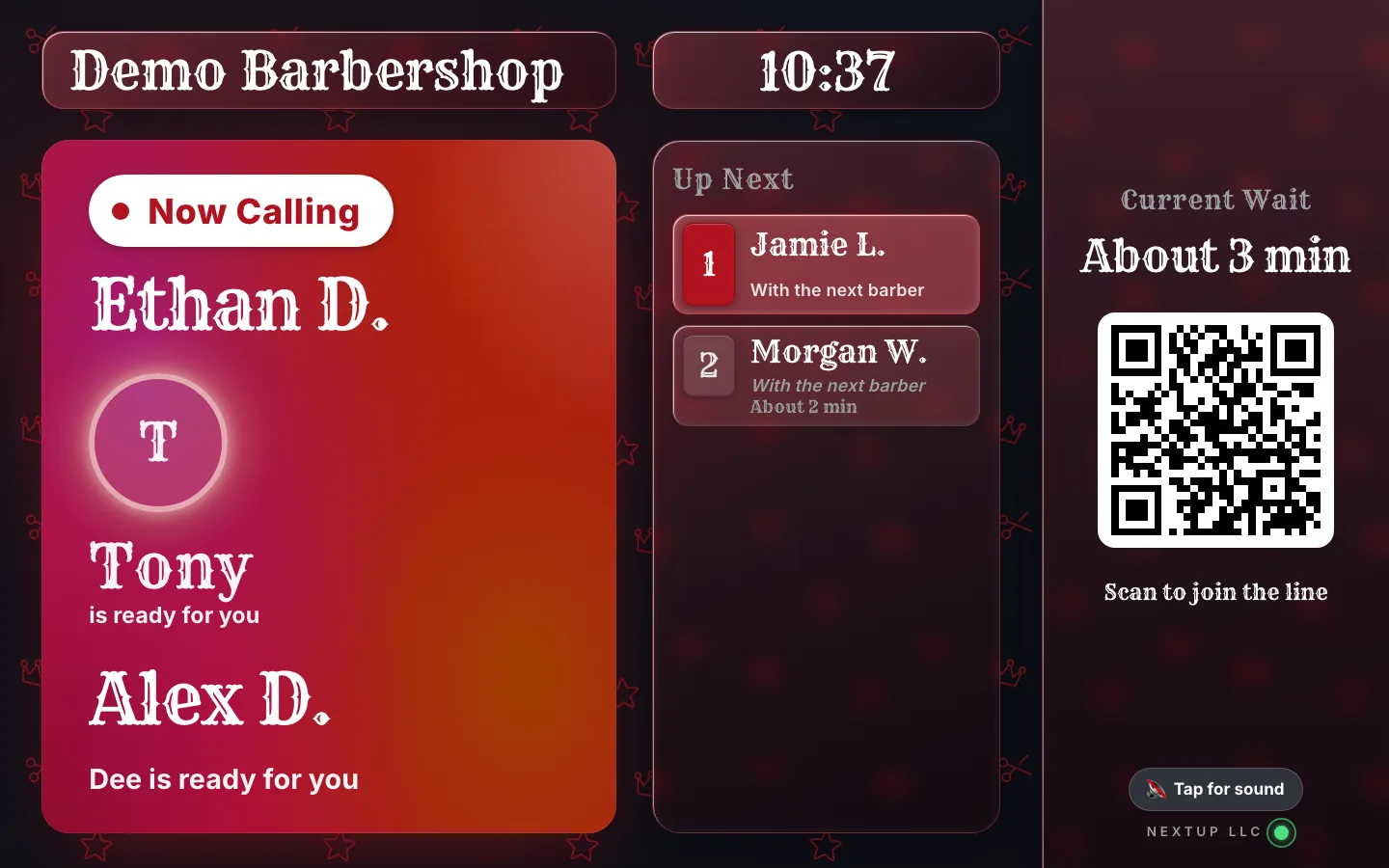
When they are close, it says "You’re up soon" and "Stay close. You’ll be called any minute." When you call them, it changes to "You’re up!" and "Head to the front now." Their name comes up on the lobby TV at the same moment.
If plans change, they tap "I can’t make it" under "Can’t make it?" and leave the line, so the next person moves up instead of waiting on someone who went home.
See it on your own line
Free needs no card: pick it at sign-up. The 14-day trial has every Pro feature, once per business. A card is needed to start, but nothing is charged until the trial ends, when the plan is charged unless you cancel first.
Get the shop ready for winter
Set it up on a quiet weekday, before the first icy Saturday.
- Put the QR where the car can see it. Print our free QR window sign big, at eye level, facing the parking lot, with "Join from your car" on it.
- Stand a tablet just inside the door. People who walk straight in join there and go back to the car. The check-in kiosk tablet guide covers locking and mounting it.
- Give every service a real length. The wait range comes from how long your team really takes, so a beard trim should not be listed like a full color.
- Tell Maps. Add your join link and winter or holiday hours on Google, so people check before they leave home. Our holiday hours guide walks through it.
- Test it from the car. Join from the parking lot yourself and watch your name reach the Staff Screen.
What a customer sees while they wait warm
| Just joined | Their place in line, people ahead and a wait range |
|---|---|
| While waiting | The page updates on its own as the line moves |
| Close to the front | "You’re up soon" and "Stay close. You’ll be called any minute." |
| Called | "You’re up!" and "Head to the front now." |
| Still parking | Get directions, or "Can’t make it?" with "I can’t make it" to leave the line |
From the NextUp app status page a customer keeps open after joining.
Run a cold day calmly
Call the next person a little early. Someone in a car across the lot needs a minute to get in, so call from the Staff Screen as the chair is finishing, not after it is swept.
If someone is slow to show, their page says the team is waiting and offers directions. Give them a moment before you move on.
Keep the TV facing the door. Anyone who did come inside can watch for their name and stay off their feet.
Finish every visit on the Staff Screen. It keeps the wait range honest for the people still out in their cars.
How NextUp Walk-in fits a winter walk-in line
Every screen is included, even on Free: 1 location, 1 team member and 50 check-ins a month. Paid plans start at $29 a month for your first location on Walk-in. Every paid plan starts with a 14-day free trial with every Pro feature, once per business. A card is needed to start, but nothing is charged until the trial ends, when the plan is charged unless you cancel first.
See it on your own line
Free needs no card: pick it at sign-up. The 14-day trial has every Pro feature, once per business. A card is needed to start, but nothing is charged until the trial ends, when the plan is charged unless you cancel first.
A line that waits warm
The NextUp app
- Join from the car, from the window QR, or on the door tablet, with no app to download and no account.
- Their place and a wait range on their phone, updating on its own, so nobody has to stand by the door.
- "You’re up!" on their page and their name on the lobby TV when you call them from the Staff Screen.
- "I can’t make it" under "Can’t make it?", so the line moves up instead of waiting on someone who left.
- The line, the door tablet and the lobby TV are on every plan, Free included.
Free needs no card: pick it at sign-up. The 14-day trial has every Pro feature, once per business. A card is needed to start, but nothing is charged until the trial ends, when the plan is charged unless you cancel first.
Be ready before the first icy Saturday
Nobody should wait for a haircut on the sidewalk.
Put the QR in the window, the tablet by the door and real lengths on your services this week. When it is freezing out, your line waits in warm cars, then they walk in when it’s time.
Free needs no card: pick it at sign-up. The 14-day trial has every Pro feature, once per business. A card is needed to start, but nothing is charged until the trial ends, when the plan is charged unless you cancel first.
Questions
Can customers join the line from their car?
Yes. They scan the QR in your window or open your join link, type a name and they are in line. There is no app to download and no account to make.
How do they know when to come in?
Their status page updates on its own. Close to the front it says "You’re up soon" and "Stay close. You’ll be called any minute." When you call them it changes to "You’re up!" and "Head to the front now." Their name also comes up on the lobby TV.
What if someone decides to go home?
Under "Can’t make it?" on their page, they tap "I can’t make it" and leave the line, so everyone behind them moves up and the wait stays honest.
What about people who walk straight in?
They join on the door tablet with the same short form, then sit down or head back to the car. Everyone is in the same line, in order.
Is it on the Free plan?
Yes. The line, the status page, the door tablet and the lobby TV are on every plan, Free included. Free covers 1 location, 1 team member and 50 check-ins a month.

Founder of NextUp Walk-in and a software engineer with 20 years of building systems that have to work under pressure.
Ready to try it?
NextUp Walk-in is a walk-in queue for barbershops, salons, restaurants, and service shops. Customers join from the phone they already have. No app required. The trial is 14 days, with every Pro feature.