Operations
Solo barber walk-ins: how to cut, greet and run the line alone
You are halfway through a skin fade. The door opens, someone leans in and asks how long, and the client in your chair watches you stop. In a one-chair shop you are the barber, the front desk and the person keeping the line fair, all at once. This guide from NextUp Walk-in shows how to hand the front desk to the window and the customer’s own phone, so the line runs itself while you keep cutting.
Three jobs, one pair of hands
A solo barber does three jobs at once: cut the hair, greet whoever walks in, and keep track of who is next.
The cut pays. The other two interrupt it. Every "how long?" at the door, every name written on a clipboard and every "who was before me?" costs a minute of the cut and a little of the client’s patience.
The fix is not working faster. It is giving the other two jobs away. The window can greet people. Their own phone can tell them the wait.
Put the front desk in the window
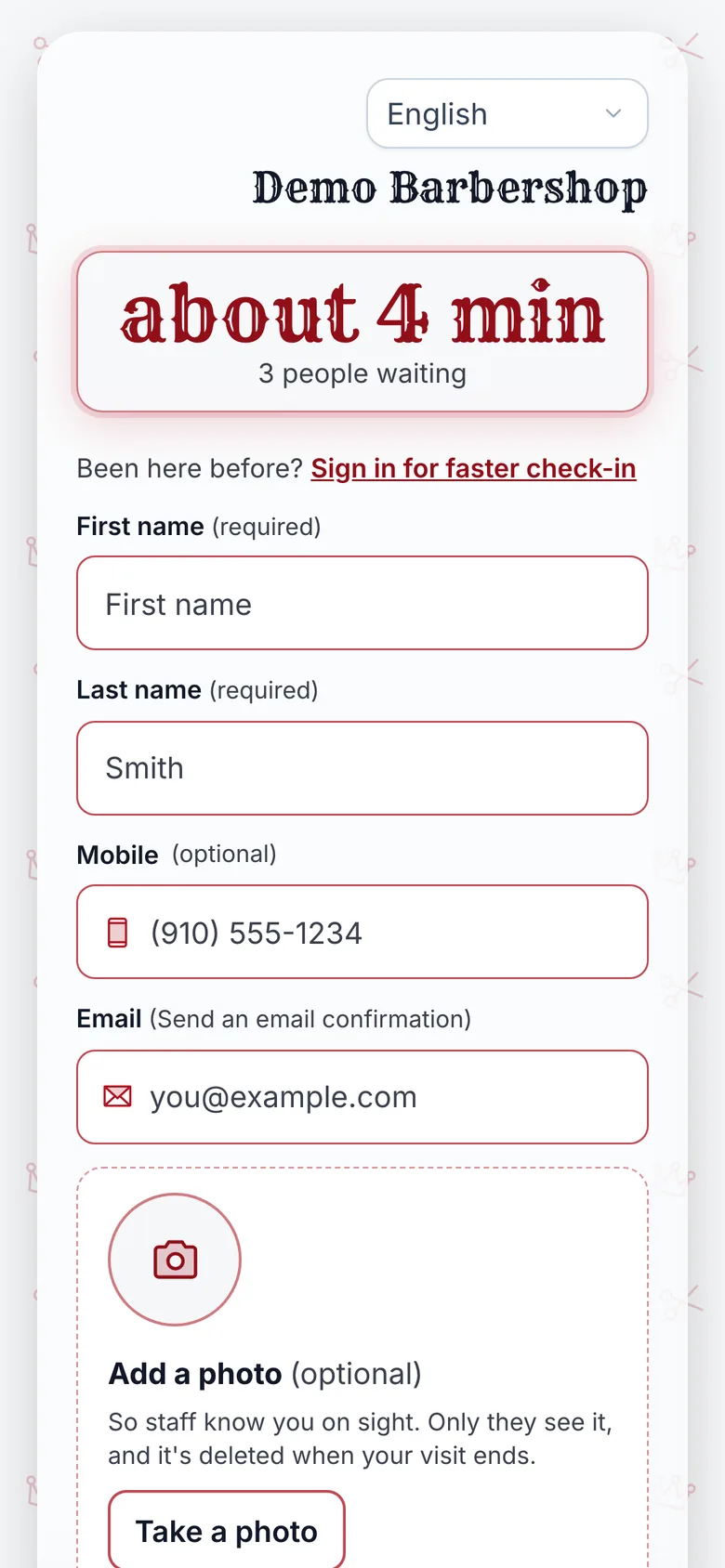
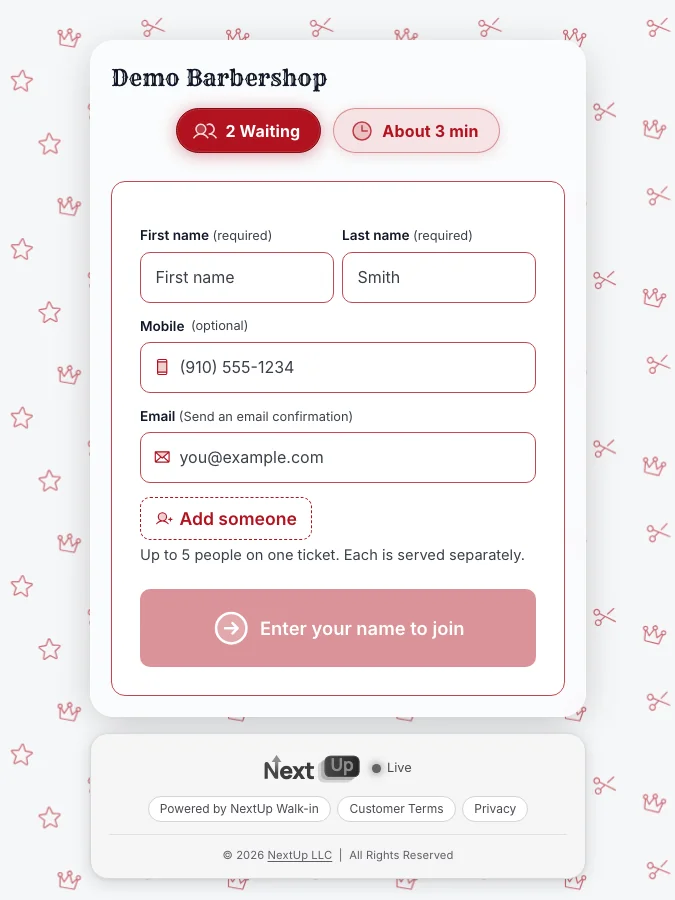
Print a QR sign for the window and the mirror. With the NextUp app, a walk-in scans it and joins with a name. No app to download, no account to make.
The free QR window sign takes a minute to print. People can join from the sidewalk, the parking lot or the couch at home before they leave.
For people who walk straight in, a tablet by the door does the same job. You never put the clippers down to write a name.
Let the wait answer "how long?"
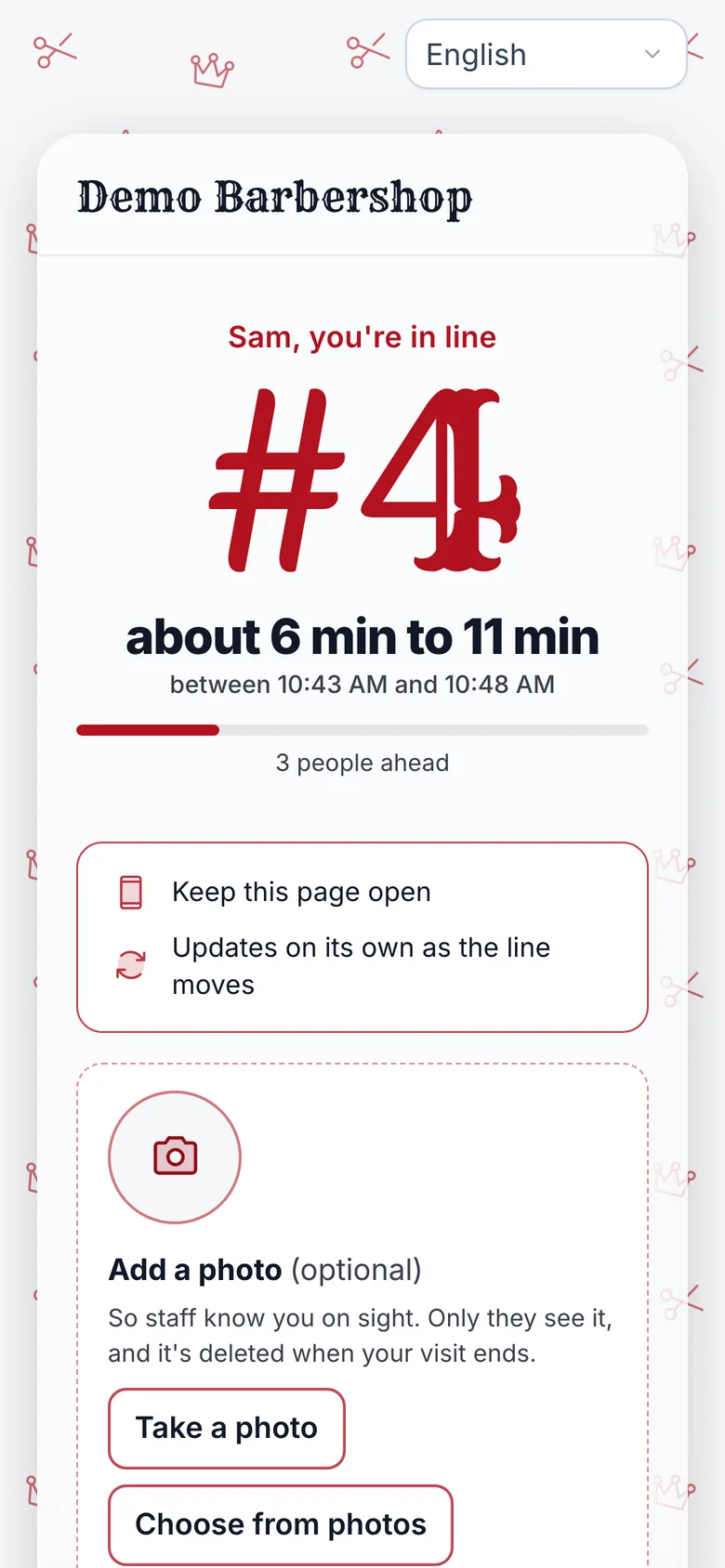
Once they join, their phone shows their place, how many people are ahead and an honest wait range, worked out from how long you really take.
That changes what people do. Instead of filling the bench and watching every cut, they grab a coffee or run an errand and come back in time.
The question you used to answer twenty times a Saturday is already on their screen.
See it on your own line
Free needs no card: pick it at sign-up. The 14-day trial has every Pro feature, once per business. A card is needed to start, but nothing is charged until the trial ends, when the plan is charged unless you cancel first.
Call the next person from the chair
The Staff Screen runs in a browser on a phone or tablet at your station. When you finish a cut, tap Call next.
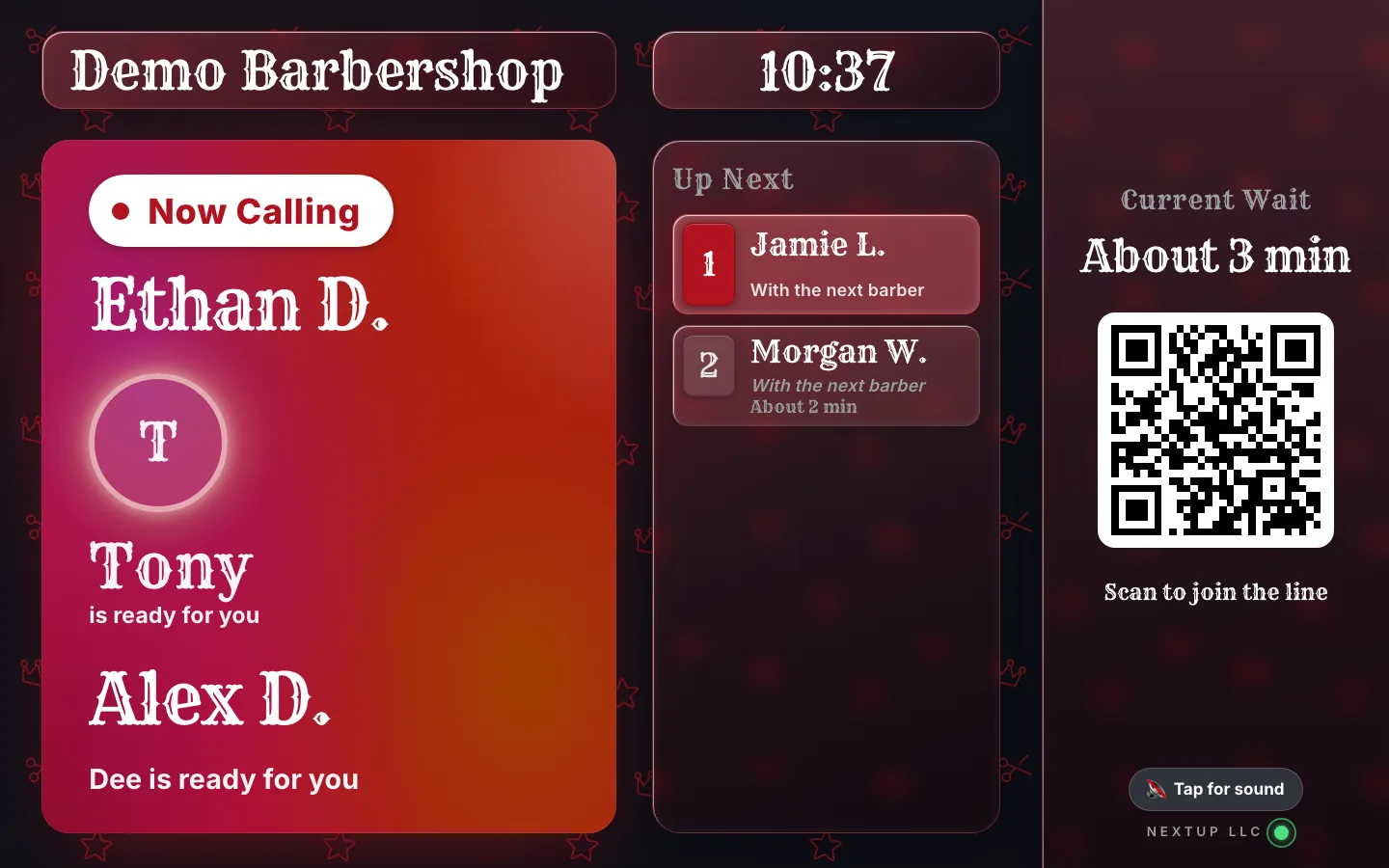
Their page changes to "You’re up!" and "Head to the front now.", and their name comes up on the lobby TV if you have one.
Called someone and they are not back yet? Tap "Still coming?" and their phone asks if they are still coming. They answer 2, 5 or 10 minutes away, or that they can’t make it, so you know whether to call the next person.
If a customer’s plans change, "Can’t make it?" takes them out of the line in one tap. Everyone behind them moves up, and you never chase a name that left.
Pause the line when you need a minute
Lunch, a long color job, the last cut before closing: a solo shop needs a way to stop new joins without losing the people already waiting.
Switch your location to Closed on the Staff Screen or the Locations page. New customers can’t join online or on the door tablet, and everyone already in line keeps their place. You can still add someone by hand from the Staff Screen. Switch it back to Open when you are ready.
A simple rule helps too: close the line about one cut before you lock the door, so the last person in line is someone you can actually finish.
Free or Walk-in? Count your chair
Free fits a one-chair shop that is just getting started. It covers 1 location, 1 team member (you) and 50 check-ins a month, with every screen included and no card needed.
Fifty a month is about two walk-ins a working day. When a month reaches 50, check-in pauses until the 1st and you get an upgrade prompt.
If your chair sees more walk-ins than that, Walk-in is the plan: $29 a month for your first location, with room for 3 team members when you hire, then $10 a month for each extra.
Count a normal week, multiply by about four, and compare it with the table below.
Which plan fits a one-chair shop?
| 2 | 22 | 44 | Free (under 50) |
|---|---|---|---|
| 4 | 22 | 88 | Walk-in, $29 a month |
| 6 | 22 | 132 | Walk-in, $29 a month |
| 10 | 22 | 220 | Walk-in, $29 a month |
Check-ins a month = walk-ins on a typical day x working days. Free covers 50 check-ins a month. A worked example, not data from any shop.
How NextUp Walk-in fits a one-chair shop
Every screen is included, even on Free: 1 location, 1 team member and 50 check-ins a month. A busier chair, or a second barber, needs a paid plan: Walk-in starts at $29 a month for your first location and includes 3 team members, then $10 a month for each extra. Every paid plan starts with a 14-day free trial with every Pro feature, once per business. A card is needed to start, but nothing is charged until the trial ends, when the plan is charged unless you cancel first.
See it on your own line
Free needs no card: pick it at sign-up. The 14-day trial has every Pro feature, once per business. A card is needed to start, but nothing is charged until the trial ends, when the plan is charged unless you cancel first.
A line that runs while you cut
The NextUp app
- Join from the window or the door, with a QR code, your join link or a tablet, no app and no account.
- An honest wait range on every phone, worked out from how long you really take.
- Call next in a tap from a phone or tablet at your station; their page changes to "You’re up!".
- "Still coming?" and "Can’t make it?" so you never wait on someone who left.
- The line, the door tablet and the lobby TV are on every plan, Free included.
Free needs no card: pick it at sign-up. The 14-day trial has every Pro feature, once per business. A card is needed to start, but nothing is charged until the trial ends, when the plan is charged unless you cancel first.
Give the front desk job away
One chair. No front desk. No lost cut.
Print the QR sign, put the Staff Screen at your station, and let the line run on their phones while you keep cutting.
Free needs no card: pick it at sign-up. The 14-day trial has every Pro feature, once per business. A card is needed to start, but nothing is charged until the trial ends, when the plan is charged unless you cancel first.
Questions
How does a solo barber handle walk-ins without a receptionist?
Let walk-ins join themselves with a QR code in the window or a tablet by the door, show each person their place and wait on their own phone, and call the next one in a tap from your station. Nobody has to stop the cut to write a name or answer "how long?".
Do my customers need an app?
No. They scan the QR code or open your join link, type a name and see their place in line in the browser. No download and no account.
Can I stop people joining while I take a break?
Yes. Switch your location to Closed on the Staff Screen and new customers can’t join online or on the door tablet. Everyone already in line keeps their place. You can still add someone by hand from the Staff Screen. Switch it back to Open when you are ready.
Is the Free plan enough for one chair?
Free covers 1 location, 1 team member and 50 check-ins a month, about two walk-ins a working day, with every screen included. If your chair sees more walk-ins than that, Walk-in starts at $29 a month and includes 3 team members for when you hire.
What if someone I call does not come back?
Tap "Still coming?" on the Staff Screen and their phone asks if they are still coming. They answer 2, 5 or 10 minutes away, or that they can’t make it, and the answer shows on their row.

Founder of NextUp Walk-in and a software engineer with 20 years of building systems that have to work under pressure.
Ready to try it?
NextUp Walk-in is a walk-in queue for barbershops, salons, restaurants, and service shops. Customers join from the phone they already have. No app required. The trial is 14 days, with every Pro feature.