Operations
The waiting-room TV, upgraded: call-up spotlight, spoken names and rotating slides
The TV already shows who is up next. Now it can make the moment clear to the whole room, speak for people who cannot read the screen, and fill the quiet time between calls with something useful. All of it is opt-in, and the Apple TV and Roku apps get the main parts.
The short answer
Three additions, all under Branding → TV Display: a call-up spotlight, accessible call-ups, and rotating content. They are off until you switch them on, in every plan. For the basics of what belongs on the screen, read what to put on your waiting-room TV.
Call-up spotlight
When someone is called, the screen shows a full-screen moment: their first name, “You’re up!”, and the photo (or initials) of the team member who is ready, with “Jordan is ready for you”. A chime plays and it stays up for about four and a half seconds. With reduced motion turned on, it stays still.
It helps most where the room is loud or full: a barbershop with six chairs, a groomer where owners are holding leashes, a clinic lobby. A first-timer sees a face and walks straight to the right person.

Accessible call-ups
Spoken call-ups read the name and team member aloud in English or Spanish. Calls are queued so they never talk over each other. A large-text, high-contrast view shows the line in four big rows, name and wait, for people who read from the back of the room.
Join and status pages got screen-reader fixes too: live wait updates, an alert when it is your turn, and form errors tied to their fields. Spoken names and the large-text view are on the web TV.
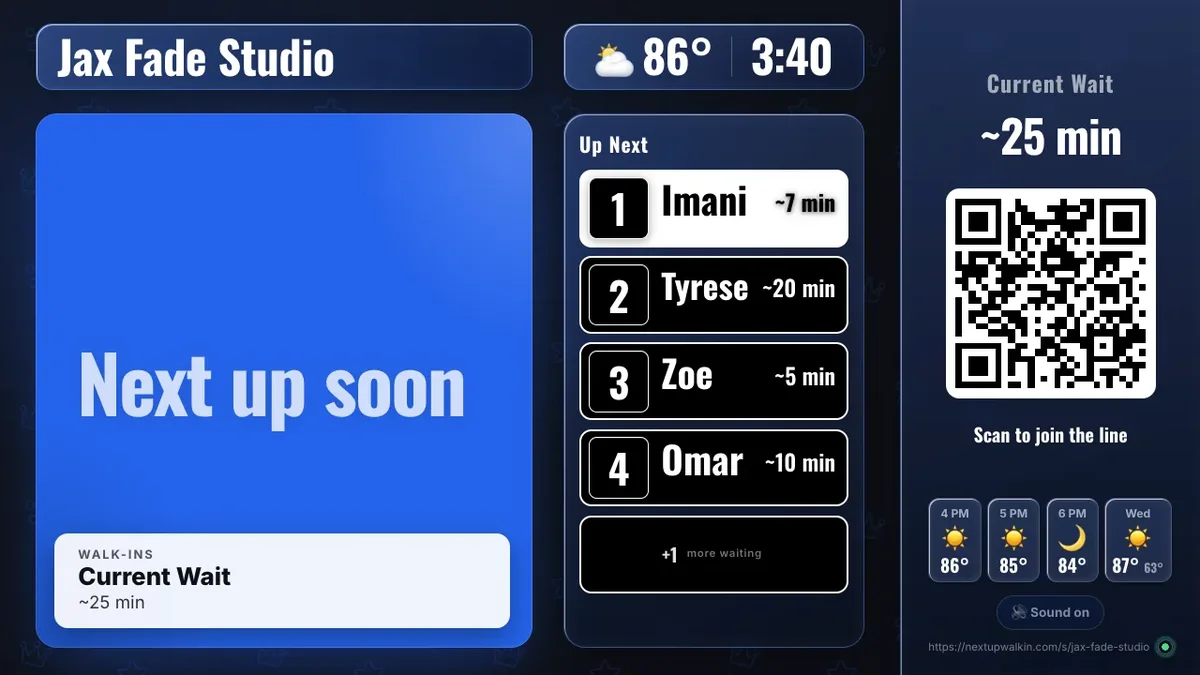
Rotating content between calls
Turn on rotating content and a card cycles every 5 to 60 seconds (you choose) between calls. It can show the current wait, any live flash sale, a “Best time to visit” slide with the day’s forecast in a bar chart, and up to three recent 4 and 5 star reviews, with first name and last initial, when your location shows public reviews.
A tire shop can promote a tune-up sale while people wait; a nail salon can show reviews; a vet lobby can show the wait. Each slide only appears when there is something real to show. The forecast slide needs enough history.
On Apple TV and Roku
The Apple TV and Roku apps get the call-up spotlight, the chime switch and rotating content (the current wait, flash sales and reviews). The forecast slide, spoken names in two languages and large-text view are on the web TV; Roku speaks names through the TV’s Audio Guide when it is on. See the best TV device for a waiting-room display.
Turn it on
In the dashboard open Branding → TV Display, switch on what you want, and watch the TV change within seconds. The TV display is included in every plan, from $29 a month for the first location. See pricing.
Questions
Does the spotlight show the full name?
No. It shows the first name. The line itself shows first name and last initial.
Is it on by default?
No. The call-up spotlight, spoken call-ups and rotating content are opt-in.
Do Apple TV and Roku have all of it?
They have the call-up spotlight, chime and rotating content for the wait, flash sales and reviews. Spoken names in two languages, large-text view and the forecast slide are web TV.