Operations
A faster floor: fewer taps between one client and the next
Every walk-in shop loses minutes in the gaps: wiping hands to tap a screen, remembering what a regular had last time, typing a name at the door, guessing who is free. None of it is long on its own, and all of it adds up across a Saturday. Here are the small tools that take those gaps out, and which plan each one is on.
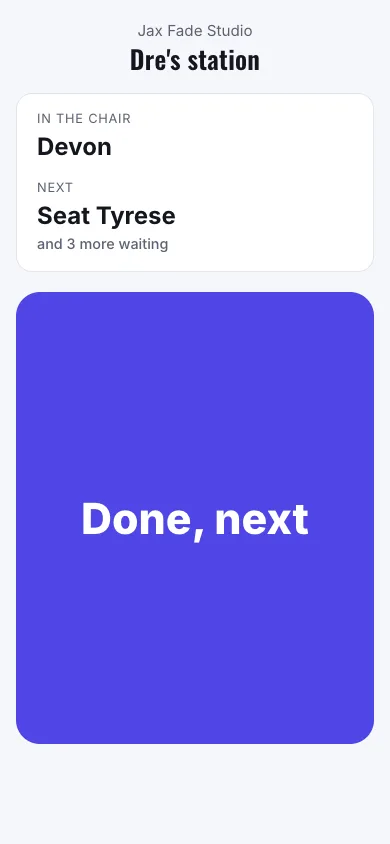
A button for Done, next
A barber with clippers in one hand, a tattoo artist in gloves and a groomer with a wet dog do not want to touch a shared screen. The station button gives each team member their own secret link. Open it on a cheap phone or tablet at their station and it shows one big button. Press it and NextUp Walk-in finishes the client they are serving and calls the next one, their own waiting list first and then anyone.
The link can also be triggered from a Flic smart button or an iOS Shortcut, so the press can be a physical button on the counter. A second press within five seconds returns the first result instead of skipping someone, and if nobody is waiting it says so. Owners and managers make and revoke the links from the Staff page. Station buttons are on every plan, for every business type except restaurants.
Know the client: photos and Last time
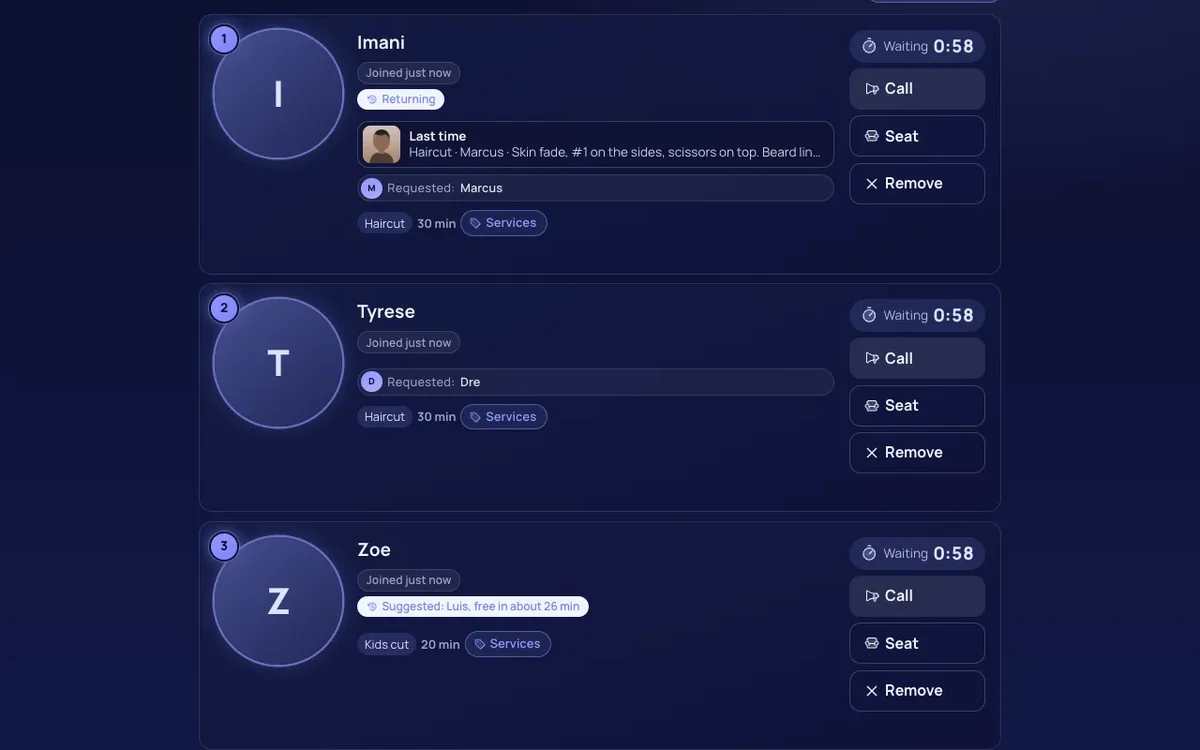
After a visit, add up to three photos and a note: the fade a client liked, the color formula, the nail shape, the dog's cut and the blade guard used. Your team taps "Customer said OK to a photo" first, and that tap is recorded with each photo. The client can see and delete their own photos in My visits.
When that client is next in line, the staff screen shows Last time on their row: a thumbnail, the service, who did it and the note. Tap it for their last three visits. It helps a new team member pick up a regular they have never cut, and it ends "same as usual?" guessing. A tattoo artist can keep a healed-tattoo check photo, and a hair salon can keep a formula note. Visit photos and Last time are Pro and work for every business type.
Say it instead: voice check-in at the door
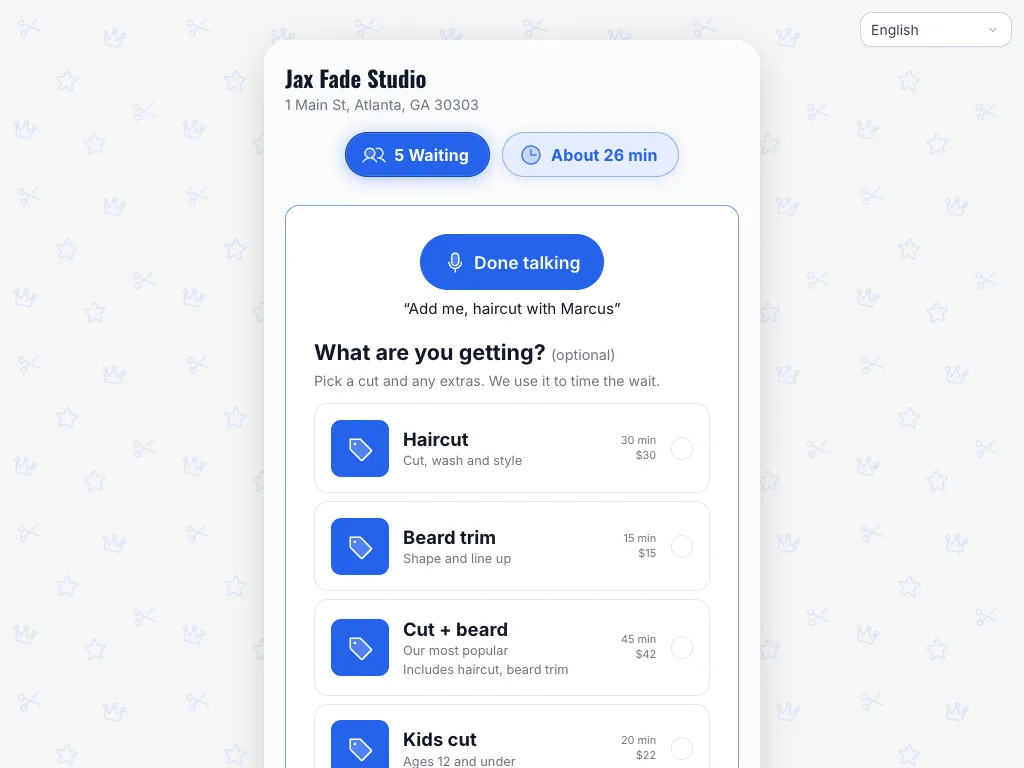
On the door tablet, a customer can tap "Say it instead" and talk: "add me, haircut with Marcus". The tablet turns the speech into text. NextUp Walk-in then matches it against that location's own services and on-duty team first names, and fills in the form. The customer reads it, types their phone, ticks their own consents and confirms. Nothing joins the line until they do.
It suits a pet groomer's owner holding a leash, a parent with a child on their hip or anyone who finds a small keyboard slow. It understands English and Spanish, and the button is hidden on devices whose browser cannot do speech recognition. The audio and transcript are not stored. Voice check-in is on every plan.
Honest waits: call-time ranges
A single number like "15 minutes" is nearly always wrong. NextUp Walk-in now learns how long each person takes for each service from the last 90 days of finished visits, and shows a range: "about 8 to 20 min" and "between 2:35 PM and 2:50 PM". The range narrows as the customer moves up the line.
It needs at least five visits of data for a person and service. Where it has less, it falls back to the service across the team, then the person, then the location. A color takes longer than a trim, and Marcus may be quicker at a fade than Dana. The range shows that without you setting anything.
Who is free: smart anyone
On the staff screen, the first waiting walk-in who chose "anyone" gets a suggestion, such as "Suggested: Marcus, free in about 4 min". It picks someone who is working, does that service and will be free soonest. It is a suggestion only and never assigns anyone.
For appointments, Smart anyone is a Pro switch per location, off by default. A customer who books "anyone" is placed with a free qualified team member. If a client later asks for that person at the same time, the "anyone" booking moves to another free person who does the service, at the same time, or nothing changes. A client who chose a person is never moved.
Where to start
Pick the gap that costs you most. If your team is hands-busy, set up station buttons first. If regulars sit in the same chair, turn on visit photos. If the door tablet is where the line stalls, try voice check-in. Everything above is in the 14-day trial, which has every Pro feature. See pricing or start free.
Questions
Which of these are Pro?
Visit photos with Last time and Smart anyone bookings are Pro. Station buttons, voice check-in, call-time ranges and the suggested team member for walk-ins are on every plan.
Does voice check-in join the line by itself?
No. It fills in the check-in form. The customer checks it, adds their own phone number and consents, and confirms before they join.
Do customers have to agree to a visit photo?
Yes. Your team taps that the customer said OK before adding a photo, and the tap is recorded with it. Customers can delete their own photos.