Product
Owner insights: ask your numbers, see how you compare, know what to try next
Most owners have the numbers and no time to read them. NextUp Walk-in now turns them into answers: ask a question in plain words, see how you compare with similar businesses, plan who to staff, learn what clients praise and complain about, and get three things to try each week.
The short answer
Five features, aimed at owners and managers. Four are Pro (the trial has them too); the weekly “This week, try” is in every plan. Two use AI: Ask about your business and Review themes. The rest are plain calculations.
Ask about your business (Pro, AI)
Open Help → Ask about your business, or the button in the sidebar. Ask “How were sales last month?”, “Which service earns the most?”, “What are my busiest times?”, “Are my waits getting longer?” or “How many clients haven’t been back?”. It reads your own sales, team stats, busiest times, top services, wait quality and client retention (counts, never names), and answers in plain sentences, sometimes with a small bar list.
It can also explain how your settings shape the day and propose changes to a location’s line, hours or screens, shown as before and after with an Apply button. It needs Pro or the trial. Team members only see their own stats.
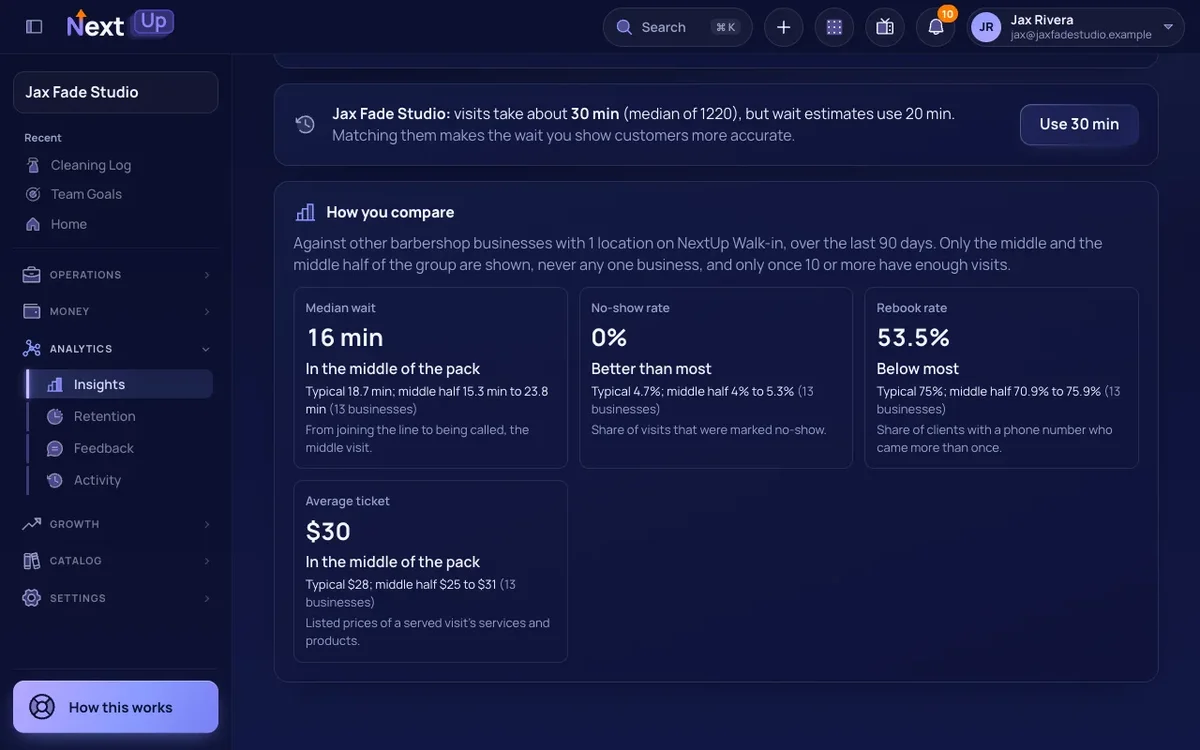
How you compare (Pro)
See your median wait, no-show rate, rebook rate and average ticket against businesses of the same type and size over 90 days. A pet groomer is compared with groomers, a nail salon with nail salons. Only the group’s median and range are shown, rounded, and only when at least 10 businesses have enough data. You never see another business.
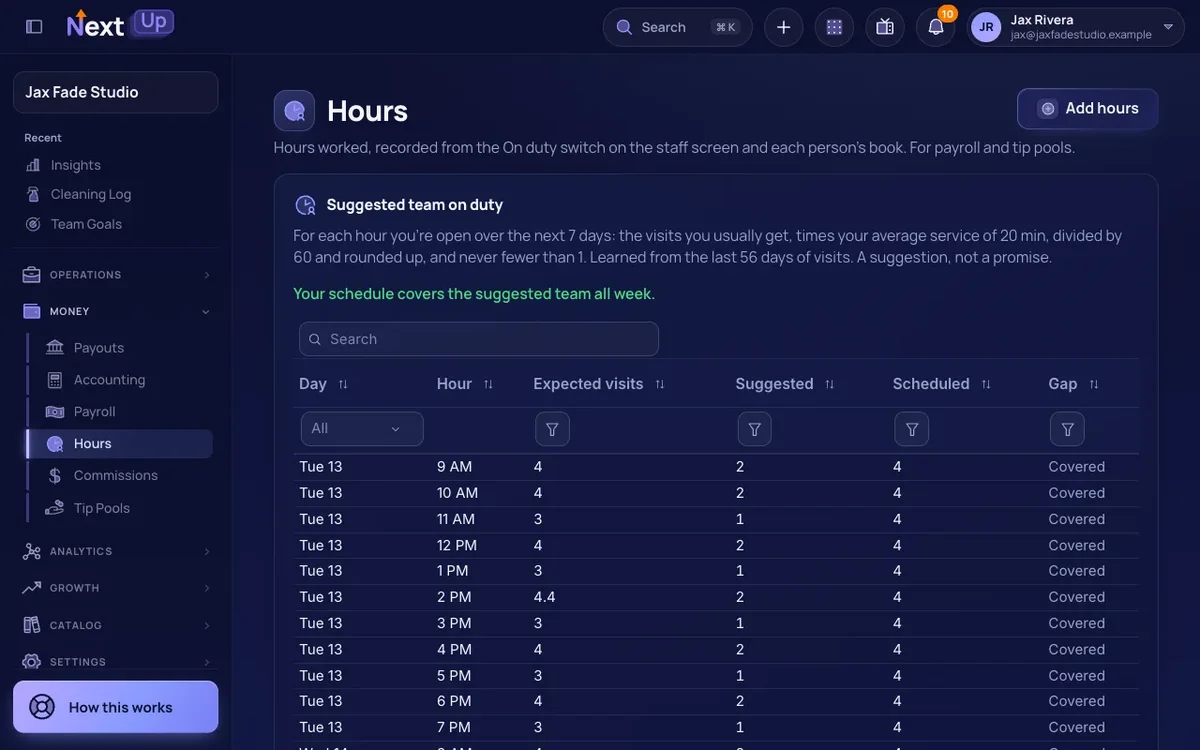
Suggested team on duty (Pro)
On the Hours page, a table shows the people needed for each open hour of the next seven days, from the wait forecast’s history and your average service length, against who is scheduled. Short hours are highlighted. A tire shop sees Saturday morning needs three techs; a salon sees Tuesday afternoon needs one.
Review themes (Pro, AI)
From 90 days of ratings and comments, you see the top things people praise and complain about, and a suggested reply for each comment to copy. The AI sees only comment numbers, ratings and text with emails, phone numbers and links removed, never names. Replies are checked for contact details before they are shown.
This week, try (every plan)
The weekly summary email now ends with up to three actions picked by plain rules, each a button to the right page: try a flash sale in your quietest stretch (or share your join link on Walk-in), win back clients who are overdue, or check quotes that run long. Nothing is shown when no rule fires. See the weekly report for the numbers behind it.
Plans are on pricing; the assistant is explained in the Help Center.
Questions
Which owner insights need Pro?
Ask about your business, How you compare, Suggested team on duty and Review themes. “This week, try” is in every plan.
Does the AI see my customers’ names?
No. Ask about your business uses counts for clients, and Review themes sees comments with contact details removed and no names.
Can it change my settings?
It can propose changes to line, hours and screen settings, shown before and after. Nothing changes until you press Apply.