Growth
A link-in-bio page for every team member, and goals worth chasing
Clients follow people, not logos. A regular finds a barber on Instagram, a stylist on TikTok, a groomer through a friend, and then has to hunt for the business page and work out who is who. NextUp Walk-in now gives every team member a public page of their own, made for the link in their bio, and gives owners monthly goals to point the team at.
The short answer
Set a team member’s booking handle on the Staff page and they get a public page at your link followed by /team/ and the handle (for example nextupwalkin.com/s/your-shop/team/mia). It shows their photo, their role in your business’s own word (barber, stylist, technician, groomer, artist), photos of their work, the services they do with prices, and their rating when you show public reviews. It is on every plan.
Team goals are the other half: monthly targets for each person, with a leaderboard you can choose to share. They are part of Pro, and the 14-day trial has them.
Why the link in the bio matters
Most people who find a team member on social media are one tap from leaving. If the link in the bio opens a business homepage, they have to find the right person, then the right service, then work out whether there is a wait. Every step loses someone.
A team member’s own page skips all of it. The person in the video is the person on the page, with the work they just saw and the services they actually do. A nail tech who posts a chrome set links to the page that lists her gel and acrylic services. A tattoo artist links to the page with his own photos, not the whole studio’s. An auto technician who answers questions in short videos links to the page that says “technician” and lists the services he does.
Join my line, or Book me
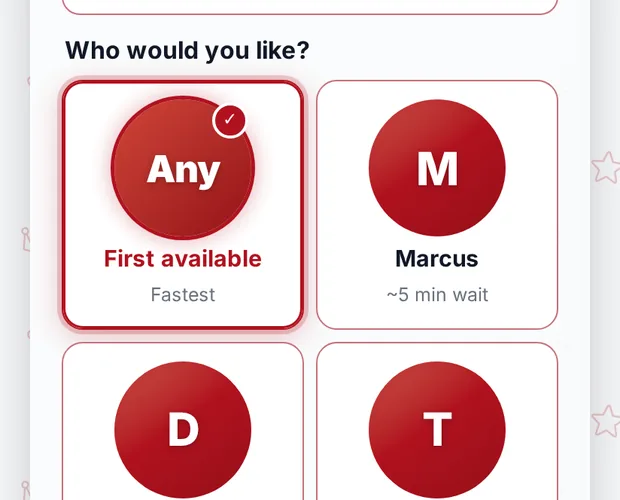
The page turns interest into a visit. “Join my line” shows while that person is on duty and the line is open. When your business lets customers choose who serves them, it opens the join form with that team member already picked, and the customer sees that person’s own wait, not a blended average.
Where your business takes appointments (Pro, or the trial), “Book me” opens booking with that person. The older personal booking link with ?barber= and their handle keeps working, so links already printed on cards or pinned in posts don’t break.
What the page shows, and what it never shows
Only what customers can already see on your join page and booking page: photo, name, role, photos of work (up to 12, added by the team member from their own page or by an owner or manager), the services they do with prices, and their average rating, shown only when public reviews are on and they have enough reviews.
Each team member can add their Instagram and TikTok names under “Your public page” on their own page in the dashboard (owners and managers can do it for them). Those names are shown as links, and nothing else. A phone number, email, notes, pay or schedule are never on the page.
Team goals: monthly targets the numbers already know (Pro)
The owner turns goals on under Team Goals in the sidebar. Then owners and managers set a monthly target for each team member: visits, average ticket, product sales and review rating. Leave any target empty to skip it. Targets repeat each month and progress starts over on the first.
Nothing is typed in by hand. Visits, average ticket and product sales come from the same books as your accountant reports (a visit is a paid bill, sales are after discounts), and the rating comes from reviews on that person’s visits that month. So the number on the goal card is the number in your books.
Each team member with their own email sign-in sees their own progress in their book. The leaderboard shows names, visits and progress against each person’s own targets, never sales or tips. It is for owners and managers, and the owner can choose to let the team see it too. A new stylist with a target of 60 visits can be at the top of the board beside a ten-year veteran aiming for 140, because progress is measured against their own goal.
A five-minute setup
1. On the Staff page, give each person a short handle: their first name, or the name clients know them by. 2. Ask each team member to add a few photos of their work and their Instagram or TikTok name under “Your public page”. 3. Have them put the page in their bio. 4. If you are on Pro, turn on Team Goals and set this month’s targets, starting with one (visits is the easiest to explain).
Pair it with the rest of the toolkit for keeping clients: one-tap rebooking and overdue regulars bring people back to the person they like, and more Google reviews make each rating worth showing. The details are in the Help Center; plans are on pricing.
Questions
Does every team member get a public page?
Every team member with a booking handle does, on every plan. Set the handle on the Staff page.
Can customers see a team member’s phone number or schedule?
No. The page shows only their photo, name, role, photos of work, services with prices, rating (when public reviews are on) and the Instagram and TikTok names they chose to add.
Which plan has team goals?
Pro. The 14-day free trial has them too. Team member pages are on every plan.
Can team members see each other’s sales?
No. The leaderboard shows names, visits and progress against each person’s own targets, never sales or tips, and team members see it only if the owner allows it.