Industry Guides
Phone repair shop check-in: a calmer counter on screen-swap Saturday
A cracked screen is an emergency to the person holding it. On a Saturday, five of those people arrive in the same twenty minutes, next to someone picking up a repair, someone who wants a screen protector, and someone whose phone went in the pool. Here is how to run the counter so the quick jobs stay quick, the long ones are quoted honestly, and nobody argues about lost data afterwards.
Why a repair counter jams
Repairs are uneven. A screen protector takes about 10 minutes; a charging-port repair can take an hour; water damage starts with a diagnostic nobody can time. Drop-offs, pickups and walk-ins all stack up at one counter, and the tech who should be at the bench is answering “how long?” instead.
There is a second problem particular to repair: the customer’s phone is often the thing that’s broken. They can’t scan a code, can’t get a text, and can’t look up their place in line. Any system that assumes a working phone fails your most urgent customer.
Check in at the counter tablet, or from any phone
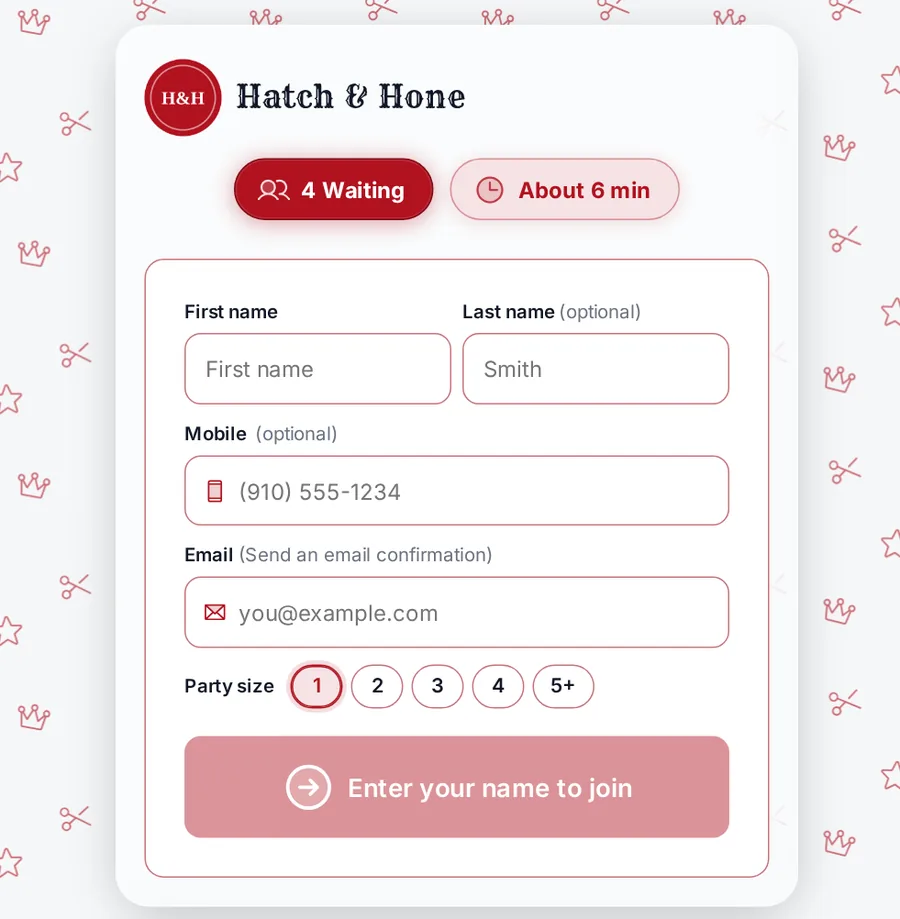
Put a tablet on the counter in kiosk mode. It never keeps one customer’s details for the next, and it works for the customer whose phone is in pieces. Everyone else can join from a QR code on the door, your Google profile or your website, with no app and no account.
Staff add walk-ups and phone-ins from the staff screen, so the person on the phone and the person at the door are in the same line. The TV shows who is at the counter, who is next and the current wait, which answers most “how long?” questions before they are asked. A customer whose phone is being repaired can follow the line from a laptop or a friend’s phone.
Sort by repair, not by arrival alone
Turn on service selection and customers pick from your repair menu. NextUp Walk-in’s device repair starter has free diagnostics, screen replacement, battery, charging port, water damage assessment and screen protector install. Set your own times and a “From” price for each, so the screen protector doesn’t sit behind the port repair in the estimate and the customer hears the price range before they wait.
Add up to five questions to the join form: device model, colour, what’s wrong, carrier. Your techs read the answers on the staff screen before the customer reaches the counter, so the first conversation is about the fix, not the phone’s model number.
Mark which techs do which repairs. Customers who pick board work or water damage are only offered the techs who do it, and “Anyone” waits for the next tech who can, not the next free hands.
Get the waiver signed before the screwdriver
The worst argument at a repair counter is “my photos are gone”. It is almost always an argument about what nobody wrote down. The device repair authorization from the starter forms covers what’s wrong, that opening the device can affect water resistance and that data can be lost, and that the screen lock or Find My is off or the passcode will be given. Make it required, and it is signed on the customer’s phone or the counter tablet before they join, then filed on their profile with the signature, time and IP.
Now the conversation happens before the repair, in writing, every time. More in digital waivers for walk-in shops.
Let them step out for coffee
A customer who sees a 35-minute wait and a live place in line will go and get a coffee. A customer staring at a clipboard will stand at your counter. Their place and the wait live in a browser tab on any phone, and they can tell you if they are running late.
When the wait is over 10 minutes, the join page offers “Tell me when the wait is shorter”, and once the shop has a little history it shows the best time to come today, quarter-hour by quarter-hour. On a busy Saturday that moves a few screen swaps to the quiet hour before close. See five ways to cut walk-in waits.
Book the repairs that need a part (Pro)
Some repairs shouldn’t be walk-ins at all: the uncommon model, the part you order in. With Pro, customers book a set time beside the walk-in line, with email reminders 24 hours and 1 hour before (text reminders once texting is live). Deposits and a card on file for ordered parts are coming soon with card payments.
Keep your repair-ticket system; add a line in front of it
NextUp Walk-in is not a repair ticketing system. It does not track repair status, parts or IMEI numbers. It runs what happens before the bench: the line, check-in, the waiver and the TV, and the checkout when the job is done. Use it beside the ticket system you already have.
Insights shows walk-ins, busiest hours by weekday, quoted versus real waits and each tech’s median time per repair, which tells you when to put a second tech on. Ratings with your Google review link ask for the review while the customer is happy with their new screen.
Cases, chargers and protectors can be products with stock at each location; card checkout (pay links, saved cards and a Stripe S700 reader) is coming soon. Plans are on pricing: Walk-in is $29 a month for your first location ($19 for each one after), and Pro is $59 and $39, with 3 team members included per location, then $10 a month each. The 14-day free trial has every Pro feature. Coming from another app, the code SWITCH gives your first month free on monthly billing. More on the phone repair page.
Questions
How does a phone repair shop check in a customer whose phone is broken?
With a tablet at the counter in kiosk mode. They join there, their place shows on the TV, and they can follow the line from a laptop or another phone.
Can customers tell us their device and the problem when they check in?
Yes. They pick a repair from your menu and answer up to five questions, such as device model and what’s wrong. Techs see the answers on the staff screen.
Can customers sign a data-loss waiver before the repair?
Yes. Start from the device repair authorization and make it required. It is signed before they join and filed on their profile.
Does NextUp Walk-in track repair status or parts?
No. It runs the line, check-in, the waiver and checkout beside your repair-ticket system.